


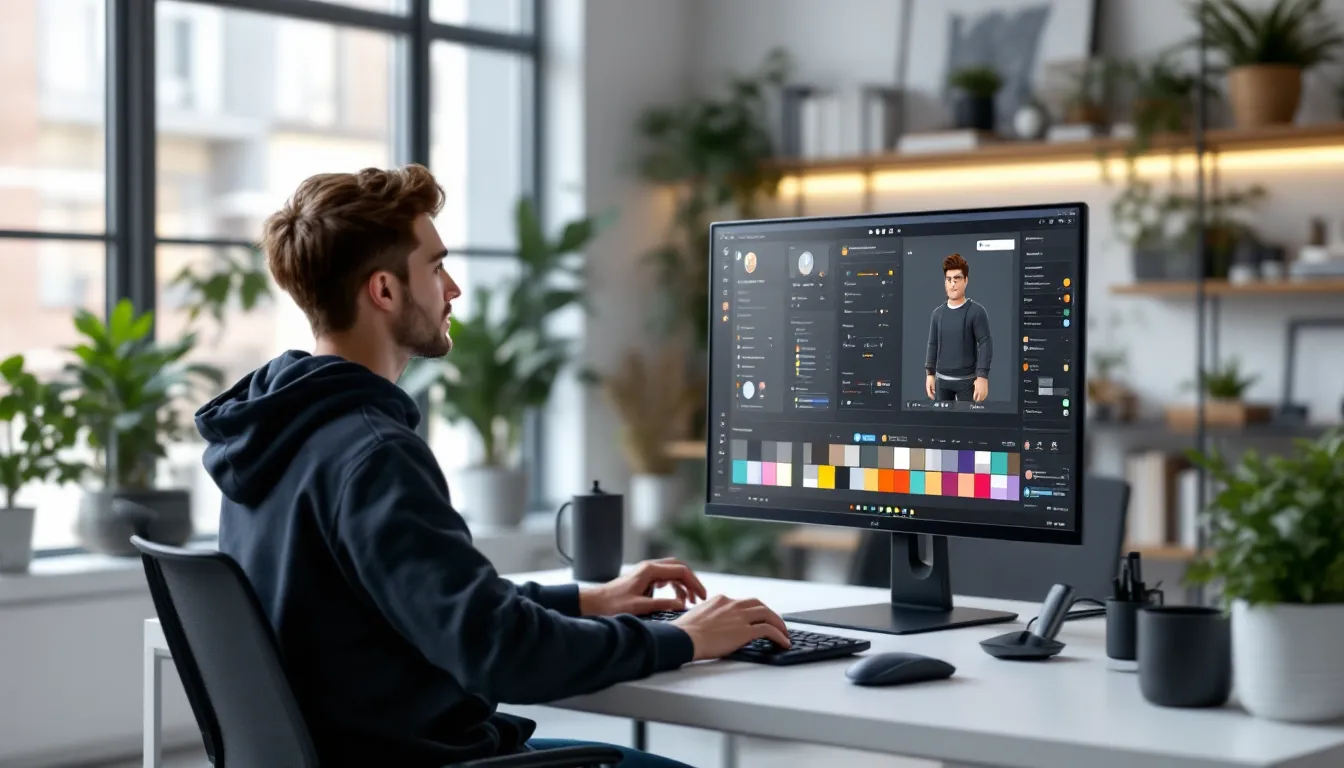
Creating the perfect roblox avatar boy isn’t just about slapping together random clothing items and calling it a day. It’s about expressing personality, standing out in a crowd of millions, and making that first impression count when you join a new game. Whether you’re going for a sleek streetwear vibe, an anime-inspired warrior, or something totally original, the avatar editor gives you nearly endless possibilities, but only if you know how to use it.
In 2026, Roblox’s customization options have exploded. Layered clothing, dynamic accessories, and an ever-expanding catalog mean there’s never been a better time to build a distinctive male character. But here’s the thing: most players fall into the same traps, creating generic looks that blend into the background. This guide cuts through the noise, showing you exactly how to craft a roblox boy avatar that reflects your style, whether you’re working with zero Robux or ready to invest in premium gear.
Key Takeaways
- A roblox avatar boy stands out by coordinating colors and avoiding accessory overload, ensuring 3–5 well-chosen items beat a dozen random pieces.
- R15 body type with layered clothing delivers superior visuals compared to R6, offering realistic textures, proper layering, and better animation compatibility.
- Free promo codes and event items provide unique designs that rival premium gear when strategically mixed with paid accessories for cohesive looks.
- Premium hairstyles, dynamic accessories, and mid-tier Limited items (500–2,000 Robux) offer the best value for creating distinctive avatars without extreme spending.
- Understanding color theory—like the 60-30-10 design rule—transforms basic outfits into visually balanced avatars that work across different game environments.
Understanding Roblox Avatar Boy Customization Basics
Before diving into specific styles, you need to understand how Roblox’s customization system actually works. The platform has evolved significantly since its early days, and knowing the fundamentals separates decent avatars from truly memorable ones.
How the Roblox Avatar Editor Works
The Avatar Editor is your home base for all customization. Access it from the main menu or your profile page, and you’ll find categories for body parts, clothing, accessories, animations, and emotes. The editor functions on a layer system, base body, then clothing layers, then accessories that attach to specific points.
Body types matter more than most players realize. R6 (the classic six-limb rig) and R15 (the modern fifteen-joint rig) handle clothing and animations differently. R15 offers more fluid movement and better compatibility with layered clothing, which launched in late 2021 and has become the standard for quality outfits. R6 has that nostalgic, blocky aesthetic some players prefer, but it limits your clothing options significantly.
Accessories attach to specific nodes: head, face, neck, shoulders, waist, and back. You can stack multiple accessories on the same node, which is where creative layering comes in. Want to combine three different hats? You can do that. Mixing a jacket with a backpack and shoulder armor? Totally possible. Understanding node placement lets you break the “one item per slot” mentality that keeps basic avatars basic.
Free vs. Premium Avatar Items for Boys
Let’s be straight: Roblox’s economy leans heavily toward premium items. The best-looking gear typically costs Robux, and limited edition items can run into the thousands. But free doesn’t mean garbage.
The free catalog contains hundreds of items ranging from basic shirts and pants to event-exclusive accessories. Roblox regularly drops promotional items tied to partnerships, platform milestones, and seasonal events. These freebies often have unique designs you won’t find in paid items. The catch? You need to grab them during the limited-time window.
Premium items offer higher quality textures, better 3D modeling, and more distinctive designs. When players craft free Robux hair options, they’re tapping into a growing catalog of styles that don’t require spending real money. Layered clothing pieces, particularly pants and shirts, almost always look better in premium variants because of how textures wrap around the R15 body.
The real skill? Mixing free and premium strategically. A free hairstyle paired with a premium jacket and free accessories can look better than an all-premium outfit with poor coordination. Budget isn’t destiny when you understand color theory and style cohesion.
Top Roblox Avatar Boy Styles and Themes in 2026
Avatar trends shift constantly on Roblox, influenced by real-world fashion, anime releases, and whatever goes viral on social media. Here’s what’s dominating the scene in 2026.
Cool and Edgy Boy Avatars
Edgy avatars lean into dark color palettes, asymmetrical designs, and attitude. Think black and red color schemes, chains, masks, and that “don’t mess with me” energy. These builds often incorporate:
- Dark hoodies with graphics or distressed textures
- Face masks or bandanas covering the lower face
- Glowing accessories like eyes or aura effects
- Spiked hair or messy styles in white, black, or colored tips
The edgy aesthetic works because it’s immediately recognizable. Players gravitate toward these looks in competitive games or roleplay servers where establishing a tough persona matters. The key is avoiding the cookie-cutter “all black everything” trap. Adding one accent color, crimson, electric blue, or toxic green, makes the difference between edgy and generic.
Streetwear and Hypebeast-Inspired Looks
Streetware dominates 2026 fashion both in real life and on Roblox. These avatars mirror what you’d see in major cities: designer brands, sneaker culture, and that effortless-but-carefully-curated vibe.
Popular elements include:
- Oversized hoodies and puffer jackets in neutral or pastel tones
- Designer-inspired pants (think cargo pants or joggers with visible logos)
- High-end sneakers from catalog creators who replicate real brands
- Beanies, bucket hats, or backwards caps
- Chain necklaces and designer bags
Many players following guides on creating stylish avatars focus heavily on this aesthetic because it translates well to social hangout games. The streetwear look requires coordination, matching your top and bottom, ensuring your sneakers complement rather than clash, and keeping accessories minimal but impactful.
Anime and Gaming Character Boy Avatars
Anime-inspired avatars never go out of style, but 2026 has seen a surge thanks to major releases and Roblox’s improved customization allowing better character recreation.
Common approaches:
- Character cosplay: Recreating specific characters from popular series using similar clothing and accessories
- Generic anime protagonist: Spiky colored hair, school uniform or adventurer outfit, determined expression
- Edgy anime antagonist: White or silver hair, dramatic coat, mysterious accessories
Gaming character avatars pull from popular titles. You’ll see players channeling battle royale operators, RPG heroes, or fighting game characters. The trick is capturing the essence without direct copying, Roblox’s UGC catalog rarely has exact replicas due to copyright, so you’re assembling similar pieces that evoke the character.
Athletic and Sports-Themed Avatars
Sports avatars appeal to players who spend time in Roblox’s numerous sports games or just want that athlete aesthetic. These builds are surprisingly versatile:
- Team jerseys and athletic wear representing real or fictional sports teams
- Basketball shorts with high-top sneakers
- Track jackets and joggers
- Baseball caps and athletic headbands
- Sports equipment accessories like basketballs or gym bags
The athletic look works because it’s clean and approachable. It’s also easier to build on a budget since many free items fall into this category. Sports avatars tend to use brighter colors and less dramatic accessories, making them stand out in a sea of dark, edgy builds.
How to Create a Unique Boy Avatar Without Spending Robux
Building a solid roblox avatars boy character without spending Robux is absolutely possible. It requires more creativity and effort, but the results can rival paid builds if you know where to look.
Best Free Items for Male Avatars
Roblox’s free catalog contains hidden gems if you’re willing to dig. Sort by price (low to high) and filter by category to find quality items that don’t cost anything:
Clothing:
- Classic t-shirts and pants created by Roblox or promoted brands
- Event shirts from past collaborations (if you claimed them)
- Basic solid-color shirts in black, white, gray, red, and blue
Accessories:
- Basic hair options (limited selection but functional)
- Promotional items from brand partnerships
- Seasonal event accessories (Halloween, winter, summer events)
- Platform milestone items celebrating Roblox anniversaries
Faces:
- The default faces are free and some work perfectly for specific aesthetics
- Occasionally, face accessories become free during events
The reality? Free hairstyles are the weakest part of the free catalog. Most free hair looks dated compared to premium options. This is where strategic decisions matter, you might keep your avatar bald or wear a hat to work around the limited free hair selection.
Mixing and Matching Free Catalog Items
Coordination beats individual item quality. A thoughtfully assembled free outfit looks better than random premium pieces thrown together.
Start with a color scheme. Pick two or three colors that work well together. Black and white is classic and easy. Navy and white looks clean. Red and black gives edge without trying too hard. Once you have your palette, filter the catalog by those colors.
Build in layers:
- Choose your base body type (R15 recommended)
- Select a simple shirt as your foundation
- Add pants that match or complement
- Pick one standout accessory as your focal point
- Add subtle supporting accessories that don’t compete for attention
The biggest mistake free-to-play players make? Overloading their avatar with every free item they own. Less is more. Three well-chosen free items beat ten random accessories.
Using Promo Codes for Exclusive Boy Avatar Items
Promo codes are your secret weapon for exclusive items without spending money. Roblox releases codes through social media, brand partnerships, events, and game launches. When exploring options for enhancing your Roblox experience, promo codes often provide legitimate free items.
Where to find active codes:
- Official Roblox social media (Twitter, Instagram, TikTok)
- Brand partnership announcements
- Gaming news sites covering Roblox updates
- Community Discord servers dedicated to Roblox freebies
How to redeem:
- Go to the Roblox website (codes don’t work in mobile app)
- Navigate to the promo code redemption page
- Enter the code exactly as shown (case-sensitive)
- Check your inventory for the new item
Promo items often have unique designs you can’t get elsewhere, making them valuable for standing out. The catch is timing, most codes expire after a few weeks or months. Setting up notifications for Roblox’s official channels helps you catch codes before they expire.
Premium Roblox Avatar Boy Items Worth Investing In
If you’ve got Robux to spend, strategic investment makes all the difference. Not all premium items are created equal, and some retain value or aesthetic impact far better than others.
Trending Paid Accessories for Boy Avatars
In 2026, certain accessory categories consistently deliver value:
Layered clothing pieces: These are where your Robux should go first. Premium layered hoodies, jackets, and pants look significantly better than their classic clothing counterparts. They wrap naturally around the R15 body, support proper shading, and layer correctly with other items. Expect to pay 50-200 Robux for quality pieces.
Premium hairstyles: Hair makes or breaks your avatar. The difference between free and premium hair is stark, better textures, more style options, and proper physics. Popular styles include messy/spiky anime hair (80-150 Robux), clean fades and undercuts (60-120 Robux), and longer flowing styles (100-200 Robux).
Dynamic accessories: Items with particle effects, animations, or unique properties command premium prices but create immediate visual impact. Glowing eyes, aura effects, floating accessories, and animated wings typically cost 100-500 Robux.
Face accessories: Masks, glasses, and facial items add personality. Premium options like detailed face masks, designer sunglasses, or expression-changing accessories run 75-250 Robux but complete a look in ways free items can’t.
Prioritize items you’ll use across multiple outfit configurations. A versatile black hoodie works with dozens of combinations. A neon green dragon wing? That’s a specialty piece for specific looks.
Limited Edition Items That Stand Out
Limited items (Limiteds) represent the premium tier of Roblox fashion. These items had limited quantities at release and now trade on the marketplace, sometimes for thousands or millions of Robux.
Why Limiteds matter:
- Extreme rarity ensures you won’t see duplicates everywhere
- They hold or increase in value over time
- They signal status to other players
- Many have unique designs no longer available
Popular Limited categories for boy avatars:
- Classic hats and gear from Roblox’s early years
- Event-exclusive items that never returned
- Collaboration items with major brands
- Items from discontinued series
The investment approach to Limiteds is tricky. Prices fluctuate based on demand, and some items that seem valuable crash when similar items release. If you’re spending serious Robux, research price history and trading trends. A 10,000 Robux Limited that consistently holds value beats a 2,000 Robux item that drops to 500.
For most players, mid-tier Limiteds (500-2,000 Robux) offer the best balance of distinctiveness and affordability. You get the prestige and uniqueness without very costly.
Step-by-Step: Building Your Perfect Boy Avatar
Let’s walk through the actual build process from blank slate to finished avatar. This method works whether you’re spending zero Robux or thousands.
Choosing the Right Body Type and Proportions
Start with your body foundation. Open the Avatar Editor and navigate to Body → Scale.
R15 vs. R6 decision:
- Choose R15 for modern looks, layered clothing compatibility, and better animations
- Choose R6 only if you’re going for nostalgic/retro aesthetic or playing games that require it
Body proportions:
The sliders control height, width, head size, and limb proportions. Default is middle-ground, but adjusting these creates distinctive silhouettes:
- Tall and slim: Move height up, width down slightly. Creates a mature, athletic look.
- Shorter and stocky: Height down, width up. Good for tough or comedic characters.
- Proportional realistic: Keep everything near default with slight adjustments for preference.
- Exaggerated: Push sliders to extremes for meme or anime-style proportions.
Most serious players in competitive environments stick near default proportions because extreme bodies can affect hitboxes in certain games. Social and roleplay players have more freedom to experiment.
Skin tone: Choose what fits your vision. This is purely aesthetic and doesn’t affect gameplay.
Selecting Hairstyles That Match Your Style
Hair is the second most important visual element after body shape. Your hairstyle needs to match your overall theme.
For streetwear/hypebeast:
- Clean fades or short styles
- Curly or wavy hair with modern cuts
- Beanie or cap (can skip visible hair entirely)
For edgy/dark aesthetics:
- Messy, covering-one-eye styles
- Spiked or standing hair in dark or contrasting colors
- White, silver, or dyed tips for extra edge
For anime-inspired:
- Exaggerated spiky styles
- Colorful hair (blue, red, white are popular)
- Longer flowing styles for certain character types
For athletic/casual:
- Short, practical styles
- Natural colors (brown, black, blonde)
- Simple and clean cuts
Don’t forget hair color customization when available. Many premium hairs let you adjust colors, allowing one hairstyle to work across multiple outfit combinations.
Coordinating Outfits and Accessories
Now comes the fun part, building the actual outfit. When putting together roblox boy avatar combinations, players who understand 3D clothing systems have an advantage in creating cohesive looks.
Layer order matters:
- Base layer: Start with your body
- Underwear layer: Basic pants/shorts if using layered clothing
- Primary clothing: Shirt and pants (your main outfit)
- Outer layer: Jackets, hoodies, vests (if using layered clothing)
- Accessories: Add from bottom to top (shoes → belt/waist → torso → neck → head)
Color coordination rules:
- Monochrome: Use one color in different shades (all black, all white, all gray)
- Complementary: Pair opposites on the color wheel (blue/orange, red/green)
- Analogous: Use colors next to each other (blue/purple/pink)
- Accent: Neutral base with one bright accent color
Test your avatar in different lighting. The Avatar Editor has a neutral background, but your avatar will appear in hundreds of different games with various lighting conditions. What looks great in the editor might wash out in bright games or disappear in dark ones.
Accessory placement:
Less is usually more, but strategic stacking works. Good combinations:
- Hat + backpack + shoes
- Face mask + headphones + jacket accessory
- Multiple small accessories on the same node for layered effects
Avoid clipping (items overlapping weirdly). Rotate your avatar in the editor to check all angles.
Advanced Customization Tips for Roblox Boy Avatars
Once you’ve mastered the basics, these advanced techniques separate good avatars from great ones.
Using Layered Clothing for Better Looks
Layered clothing revolutionized Roblox customization when it launched, but many players still don’t use it to full potential. Unlike classic shirts and pants (which are just textures wrapped on the body), layered clothing consists of actual 3D meshes that sit on top of your avatar.
Key advantages:
- Realistic wrinkles, folds, and depth
- Proper layering (jacket over shirt over body)
- Better textures and material representation
- No stretching or distortion on custom body types
How to maximize layered clothing:
Mix classic and layered: You can wear classic pants with a layered shirt, or vice versa. Sometimes a classic piece fills a gap in your outfit better than a layered alternative.
Stack carefully: Layered items have thickness. Stacking too many creates bulk that looks unnatural. A t-shirt + hoodie + jacket might be too much, but t-shirt + jacket works perfectly.
Adjust transparency: Some layered items support transparency adjustments. This lets you create ghost effects or subtle layering tricks.
Watch for clipping: Layered clothing can clip through accessories. If your backpack penetrates your jacket, try adjusting accessory size or position if the item allows.
The layered clothing catalog expands constantly. Premium creators release new items weekly, and the quality keeps improving as creators learn the system better.
Color Coordination and Aesthetic Balance
Color theory matters more than most players realize. The difference between “this looks okay” and “this looks incredible” often comes down to color choices.
The 60-30-10 rule:
Borrowed from interior design, this principle works perfectly for avatars:
- 60%: Your dominant color (usually shirt/pants)
- 30%: Secondary color (jacket, major accessory)
- 10%: Accent color (small accessories, highlights)
Example: Black pants and hoodie (60% black), white undershirt visible at collar and cuffs (30% white), red shoes and cap details (10% red). This creates visual hierarchy and balance.
Contrast for visibility:
If you play games with complex environments, your avatar needs enough contrast to be visible. All-black avatars disappear in dark maps. All-white avatars wash out in bright environments. Adding one contrasting element ensures visibility.
Texture mixing:
Combine different material textures, matte fabrics with metallic accessories, smooth clothing with rough materials. This creates visual interest even within a limited color palette.
Seasonal adjustments:
Consider adjusting your avatar for seasonal events. Winter whites and blues, autumn oranges and browns, summer brights, spring pastels. Players who update their look seasonally keep their presence fresh.
Common Mistakes to Avoid When Creating Boy Avatars
Even experienced players fall into these traps. Avoiding them instantly levels up your avatar game.
Overloading accessories: More isn’t better. Wearing ten accessories at once creates visual chaos. Pick your three strongest pieces and build around them.
Ignoring proportions: Huge head on a tiny body, or massive accessories that dwarf your avatar, looks comical unless that’s your goal. Keep accessories proportional to your body scale.
Following trends blindly: If everyone’s wearing the same popular item, you blend into the crowd instead of standing out. Use trending items as inspiration, not a blueprint.
Neglecting animations: Your avatar’s idle animation, walk cycle, and emotes matter. Premium animation packages make even basic avatars look more dynamic. Don’t ignore the Animation section in the editor.
Poor color choices: Random colors that don’t work together, or monochrome outfits with no variation, both fall flat. Spend time on color coordination.
Forgetting context: Building an avatar for social hangouts requires different considerations than one for competitive FPS games or roleplay servers. Many character-focused Roblox games have specific aesthetic expectations. Consider where you’ll use your avatar most.
Not checking all angles: Your avatar looks different from front, side, and back. That cool jacket might have a weird texture on the back you didn’t notice. Rotate in the editor.
Copying popular avatars exactly: Taking inspiration is fine. Carbon-copying a well-known player’s avatar or YouTube thumbnail look marks you as unoriginal. Put your own spin on concepts.
Ignoring face selection: Your face expression matters. The default smile might not fit an edgy aesthetic. The serious face might seem too aggressive for a casual look. Test different faces with your outfit.
Not budgeting Robux effectively: Spending 500 Robux on one flashy accessory when three good pieces would serve you better is poor resource management. Plan your purchases.
Skipping promo codes: Free exclusive items require zero effort beyond entering a code, yet many players never bother. That’s leaving easy wins on the table.
The most common mistake of all? Never updating. Your avatar shouldn’t be static. As you grow as a player, discover new games, or your personal style evolves, your avatar should too. Regular refreshes keep you relevant and let you experiment with new customization features as Roblox releases them. When discussing player accounts and avatar options, experienced users emphasize the importance of evolving your character’s look over time.
Another subtle mistake: not considering mobile players. According to data from leading gaming outlets, over half of Roblox’s player base uses mobile devices. If your avatar has tiny detailed accessories that look great on PC but disappear on mobile screens, you’re not maximizing your visual impact. Balance detail with readability at smaller sizes.
Conclusion
Creating a standout roblox avatar boy comes down to understanding the tools, knowing what works, and having the creativity to combine elements in fresh ways. Whether you’re building with free items, investing Robux strategically, or mixing both, the principles remain the same: coordination over chaos, personal style over blind trends, and attention to detail in proportions, colors, and accessories.
The avatar editor in 2026 offers unprecedented flexibility. Layered clothing, dynamic accessories, and an ever-expanding catalog mean the only real limitation is creativity. Take the techniques from this guide, experiment with different combinations, and don’t be afraid to iterate. Your first attempt probably won’t be perfect, that’s normal. Refine, adjust, and find what represents you.
Roblox is a social platform. Your avatar is your first impression, your calling card in every game you join. Make it count. Whether you’re walking into a competitive match, exploring with friends, or roleplaying in a themed server, a well-crafted avatar sets the tone for how others perceive you. Put in the effort, and you’ll stand out in a sea of millions. That’s what makes the difference between another player and a memorable presence.