

Your avatar is your identity in Roblox. It’s the first thing people see when you join a server, the representation of your style in group photos, and often the deciding factor in whether someone thinks you’re worth trading with or teaming up alongside. In 2026, the Roblox catalog has exploded with millions of items, layered clothing technology has matured, and the community’s standards for what looks “cool” have evolved dramatically.
This guide breaks down everything you need to know about creating genuinely cool Roblox avatars, from understanding current trends to mastering advanced layering techniques. Whether you’re working with a limited budget or ready to drop some serious Robux, you’ll find specific items, combinations, and strategies to stand out in any game or social space.
Key Takeaways
- Cool Roblox avatars in 2026 prioritize cohesion, originality, and visual balance over expensive items, with intentional color palettes and layered clothing creating the standout look.
- Master layering techniques by combining a base layer, mid-layer, outer layer, and detail layer to create depth and visual complexity that separates cool avatars from default ones.
- Five dominant avatar styles—streetwear, cyberpunk, dark edgy, anime-inspired e-boy/e-girl, and soft kawaii—each have specific color schemes and accessory requirements that define their aesthetic.
- Build cool avatars on any budget by starting with free items, investing strategically in one statement piece like quality hair or a face, then layering free clothing in coordinated colors.
- Use the Avatar Editor’s scaling tools to adjust height (105-115%), torso width (90-95%), and leg length (105-110%) to create sleeker proportions that photograph better and enhance your overall silhouette.
- Avoid common mistakes like overcrowding accessories, ignoring proportions, mismatching colors, and using outdated items—instead rotate outfits regularly and commit to a cohesive aesthetic theme.
What Makes a Roblox Avatar “Cool” in 2026?
“Cool” is subjective, but certain principles consistently separate standout avatars from the default crowd. In 2026, coolness isn’t about wearing the most expensive limited items, it’s about cohesion, originality, and understanding visual balance.
Intentional color palettes matter more than ever. Random neon colors scream “new player,” while thoughtfully coordinated 2-3 color schemes demonstrate taste. Black, white, and muted earth tones remain foundational, with strategic pops of accent colors.
Layering complexity has become the gold standard since Roblox’s layered clothing update matured. Cool avatars in 2026 use multiple clothing layers to create depth, a base shirt, an open jacket, maybe a vest or harness on top. The key is making layers interact purposefully, not just stacking random items.
Proportions and silhouette play a huge role. The classic blocky Roblox body type (R6) has nostalgic appeal, but most cool avatars now use R15 or Rthro bodies with customized scaling. Slightly taller avatars with adjusted proportions (narrower torsos, longer legs) create a more stylized look that photographs better.
Unique face combinations separate memorable avatars from forgettable ones. Instead of the overused “chill face” or “stitch face,” players are mixing face accessories, using multiple face items layered together, or opting for expressive anime faces that match their overall aesthetic.
The best avatars tell a story or convey personality at a glance. Whether it’s streetwear hypebeast, dark edgy aesthetic, or soft kawaii vibes, commitment to a theme always looks better than throwing together popular items from different styles.
Popular Cool Avatar Styles and Themes
Streetwear and Hypebeast Avatars
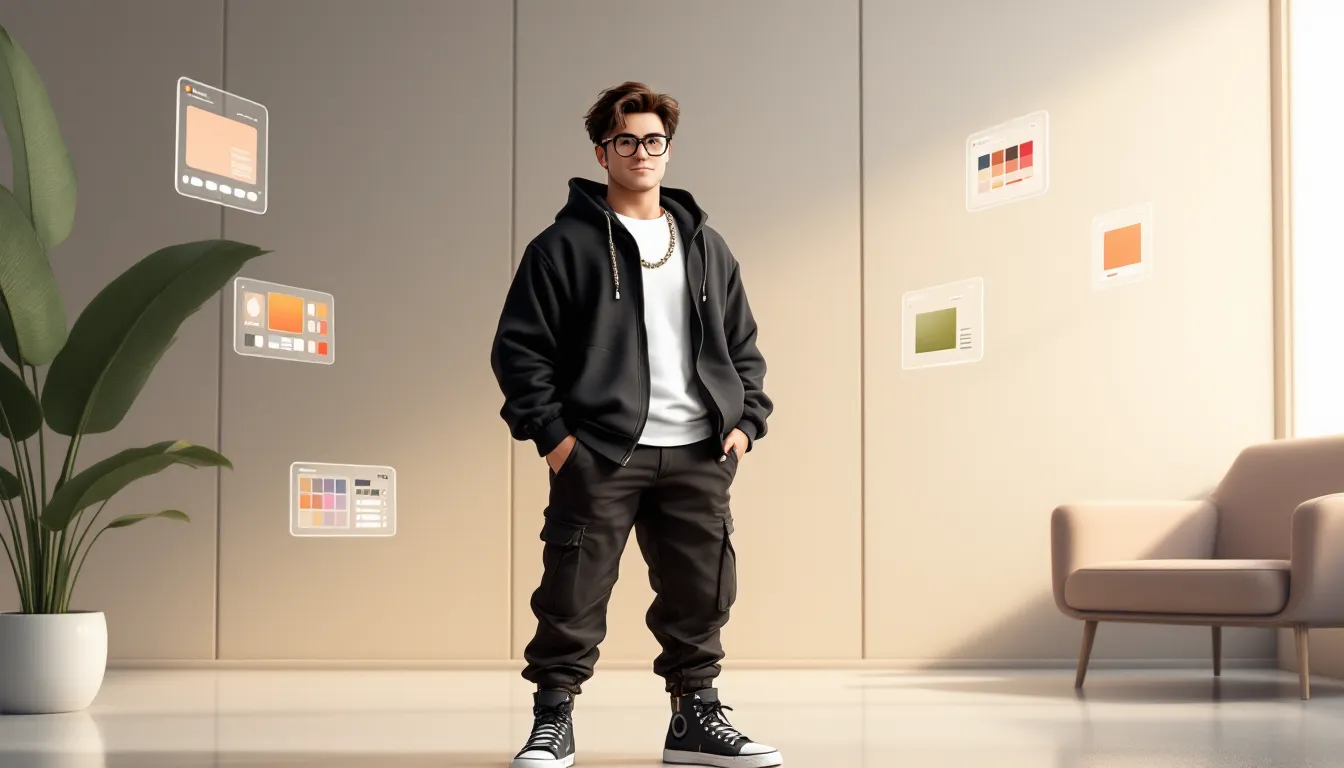
Streetwear dominates Roblox fashion in 2026, mirroring real-world trends from brands like Supreme, Off-White, and Bape. These avatars focus on layered hoodies, cargo pants, designer sneakers, and branded accessories.
Key items include:
- Oversized hoodies with visible brand graphics (many quality ones exist for 50-200 Robux)
- Baggy cargo pants or distressed jeans with realistic texturing
- High-top sneakers or chunky designer shoe replicas
- Chain accessories, designer bags, and streetwear hats
The hypebeast look works best with neutral color bases (black, white, grey, beige) and one statement piece, maybe a brightly colored hoodie or limited-edition sneakers. Going full rainbow hypebeast usually misses the mark.
Cyberpunk and Futuristic Looks
Cyberpunk aesthetics exploded after several sci-fi Roblox games gained traction in 2025. These avatars blend neon accents with tech-wear, creating that dystopian-future vibe.
Essential elements:
- Neon hair (electric blue, hot pink, or purple work well)
- Tech masks or visors covering part of the face
- Tactical vests with visible straps and pouches
- LED accessories that glow, neon trails, light-up shoes, holographic wings
Color schemes typically combine black bases with one or two vibrant neon colors. Cyberpunk avatars benefit from matching animation packages with glitchy or robotic movements. Major gaming outlets like IGN have covered how cyberpunk themes continue dominating across gaming platforms, and Roblox is no exception.
Dark and Edgy Aesthetic Avatars
The edgy aesthetic never goes out of style. Think all-black outfits, chains, dark makeup, grunge clothing, and occasionally gothic or emo influences.
Core components:
- Black clothing layers, ripped hoodies, leather jackets, band tees
- Dark face accessories like masks, eye patches, or dramatic makeup
- Chain belts, spiked accessories, and dark metal jewelry
- Alternative hairstyles, long black hair, half-shaved styles, or messy emo cuts
The challenge with edgy avatars is avoiding the “tryhard” label. Successful dark aesthetics use texture variety (matte vs. leather vs. fabric) and subtle details rather than just slapping on every black item and red eye glow in the catalog.
Anime-Inspired and E-Boy/E-Girl Styles
Anime aesthetics and e-boy/e-girl styles have merged into one of Roblox’s most popular categories. These avatars draw from anime character designs, K-pop fashion, and internet culture.
Typical features:
- Anime-style hair with bright, unconventional colors
- Soft or expressive anime faces with blush marks
- Layered outfits, oversized hoodies, crop tops, skirts, chains
- Colorful accessories, heart glasses, hair clips, chokers
E-boy variants lean darker (black clothing, chains, painted nails), while e-girl styles often incorporate pastels, stripes, and playful accessories. Both benefit from asymmetrical elements, one side different from the other.
Soft Aesthetic and Kawaii Avatars
Soft aesthetic prioritizes pastel colors, cozy clothing, and an overall gentle, approachable vibe. It’s the opposite of edgy, think cottagecore meets kawaii culture.
Defining characteristics:
- Pastel color palettes, baby pink, lavender, mint green, cream
- Comfortable clothing, oversized sweaters, soft hoodies, flowing skirts
- Cute accessories, flower crowns, butterfly clips, plushies
- Gentle expressions, smiling faces, rosy cheeks, kind eyes
Soft aesthetic avatars work especially well in roleplay games and social hangout spaces. The key is maintaining color harmony, too many pastels creates visual noise, but 2-3 complementary soft tones look cohesive and intentional.
Best Avatar Items and Accessories for Cool Looks
Must-Have Hair and Head Accessories
Hair defines your avatar’s personality more than almost any other item. In 2026, these styles consistently appear on cool avatars:
- Messy/Fluffy Hair (various colors, 75-150 Robux), works with nearly every aesthetic
- Long Straight Hair (black or platinum blonde, 100-300 Robux), essential for e-girl/anime looks
- Fade/Taper Cuts (50-100 Robux), perfect for streetwear and clean aesthetics
- Colorful Anime Hair (bright blues, pinks, purples, 100-400 Robux), statement pieces that demand matching outfits
Head accessories that enhance rather than overwhelm:
- Beanies and bucket hats for streetwear
- Headphones (especially wireless or gaming headsets)
- Glasses (round frames, sunglasses, or cyberpunk visors)
- Subtle headbands or hair clips for soft aesthetics
Avoid oversized, glowing head accessories unless they’re central to your theme. That giant rainbow unicorn horn probably isn’t helping.
Top Clothing Items and Outfits
Layered clothing revolutionized Roblox fashion. These pieces form the foundation of most cool avatars:
Tops:
- Oversized hoodies (solid colors or graphic designs, 50-200 Robux)
- Open jackets over base shirts (creates depth, 75-250 Robux)
- Crop tops for feminine styles (30-100 Robux)
- Tactical vests and harnesses for cyberpunk/streetwear (100-300 Robux)
Bottoms:
- Baggy cargo pants (black, khaki, or camo, 50-150 Robux)
- Ripped jeans (black or blue denim, 60-180 Robux)
- Skirts with tights for e-girl/soft aesthetics (40-120 Robux combined)
- Joggers or track pants for athletic streetwear (50-100 Robux)
Full outfits (single items combining top and bottom) can work but limit layering options. They’re better as bases underneath jackets or accessories.
Players looking for budget-friendly options can explore free avatar customization to supplement purchased items.
Face Items and Expressions That Stand Out
Faces make or break avatar coolness. Default faces scream “I just started playing,” while thoughtfully chosen expressions convey personality.
Popular face options in 2026:
- Chill/Relaxed faces (50-100 Robux), neutral but stylish
- Anime faces with expressive eyes (75-200 Robux), match your aesthetic
- Masked faces or faceless options (0-150 Robux), mysterious and edgy
- Custom face combinations using multiple accessories (layered masks, glasses, makeup)
Face accessories that add character:
- Masks (medical masks, ninja masks, or decorative ones)
- Makeup items (blush, eye shadow, face paint)
- Scars, freckles, or beauty marks
- Glowing eyes or unique eye colors
The trend in 2026 leans toward layering multiple face items. A base face plus glasses plus subtle blush creates more depth than a single expressive face alone. Gaming communities on platforms like Twinfinite frequently showcase player creativity in avatar customization across various games.
Accessories and Gear to Complete Your Look
Accessories transform good avatars into great ones, but restraint matters. Too many accessories create visual clutter.
High-impact accessories:
- Chains and jewelry (neck chains, bracelets, rings)
- Bags and backpacks (mini backpacks, designer bags, tactical packs)
- Wings (use sparingly, subtle particle wings > giant rainbow wings)
- Shoulder pets or companions (if they match your aesthetic)
Functional accessories that enhance coolness:
- Animation packages that change how you move
- Emotes for photos and social situations
- Dynamic clothing with physics (flowing capes, moving chains)
The best accessory combinations follow the “rule of three”, pick three standout accessories maximum. A chain, a bag, and a hair accessory work together. Adding shoes, wings, a pet, back bling, and shoulder pads creates sensory overload.
How to Create a Cool Avatar on a Budget
Free and Low-Cost Avatar Items
You don’t need thousands of Robux to create a cool avatar. The catalog contains thousands of quality free items, and many impressive pieces cost under 50 Robux.
Free items worth grabbing:
- Basic clothing templates created by popular designers (shirts, pants)
- Free hair released during Roblox events
- Promotional items from brand partnerships
- Classic faces available at no cost
- Free accessories from community creators
Best value items under 50 Robux:
- Solid color hoodies and t-shirts (5-25 Robux)
- Basic pants and jeans (5-30 Robux)
- Simple hairstyles (20-50 Robux)
- Accessory items like glasses or hats (10-40 Robux)
Many budget avatar resources help players maximize their Robux efficiency. The secret is focusing on versatile, neutral pieces that work across multiple outfits rather than trendy items that only fit one look.
Budget-friendly strategies:
- Build around free items first, browse the free section, grab everything that matches your desired aesthetic
- Invest strategically, spend Robux on one statement piece (great hair or a quality face), then build around it with free items
- Use color coordination, free black/white clothing looks expensive when properly matched
- Layer free items, combining multiple free pieces creates visual complexity that looks premium
- Follow creators, some designers regularly release free or 5 Robux items
Using the Roblox Avatar Editor Effectively
The Avatar Editor contains powerful tools many players overlook. Mastering these features creates cool avatars regardless of budget.
Body customization:
- Scaling options let you adjust height, width, head size, and proportions
- Body type selection (R6, R15, Rthro) dramatically changes your silhouette
- Package mixing allows combining body parts from different packages
Creating unique proportions:
- Slightly taller avatars (105-115% height) photograph better
- Narrower torsos (90-95% width) create a sleeker silhouette
- Adjusted head size (90-100%) prevents the “bobblehead” look
- Longer legs (105-110%) improve overall proportions
Advanced editor techniques:
Mix and match body packages, Don’t just select one preset package. Combine arms from one, legs from another, and a torso from a third to create unique body types.
Use 3D clothing strategically, The 3D clothing feature adds dimension that traditional 2D shirts can’t match. Layer 3D items over 2D bases for maximum effect.
Test different angles, Rotate your avatar in the editor to see how clothing sits from all sides. Some items look great from front but awkward from behind.
Save multiple outfits, Create and save different looks for different game types. Your competitive shooter avatar might differ from your hangout game avatar.
Color matching tools, Use the color picker on one item, note the RGB values, then match exactly on other items for perfect coordination.
Advanced Customization Techniques
Layering Clothing for Unique Combinations
Layering separates amateur avatars from professional-looking ones. The key is understanding layering order and how items interact.
Layering fundamentals:
- Base layer, Start with a solid-color shirt and pants
- Mid layer, Add your main clothing piece (hoodie, jacket, vest)
- Outer layer, Include accessories like harnesses, open jackets, or belts
- Detail layer, Finish with small accessories (chains, bags, badges)
Advanced layering tricks:
Transparent items create depth, Items with transparency (open jackets, mesh shirts) show underlayers, creating visual complexity. Pair a bright base shirt with a black mesh overlay for contrast.
Mix clothing types, Combine 3D layered clothing with classic 2D shirts and pants. A 3D jacket over a 2D graphic tee creates interesting texture variation.
Strategic clipping, Sometimes slight clipping between items looks intentional and edgy. Experiment with items that overlap slightly rather than avoiding all clipping.
Asymmetrical layering, Wear a jacket or accessory that only covers one shoulder, or use accessories that create visual weight on one side. Asymmetry creates dynamism.
Contrast textures, Pair matte items with glossy ones, smooth with rough, solid with patterned. A leather jacket over a soft cotton shirt provides visual interest through texture contrast.
Color Coordination and Matching Tips
Color coordination might be the single most important skill for cool avatars. Even expensive items look bad together if colors clash.
Proven color schemes:
Monochromatic (variations of one color), All black with different textures, or all blue from navy to light blue. Simple but always works.
Neutral + accent (most popular), Black/white/grey base with one bright accent color. Black outfit with red shoes and red hair, for example.
Complementary colors (opposite on color wheel), Blue and orange, purple and yellow, red and green. Use one as dominant, the other as accent.
Analogous colors (next to each other on color wheel), Blue, blue-green, and green together. Creates harmony with subtle variety.
Neutral palette (black, white, grey, beige, brown), Clean, sophisticated, never looks dated.
Specific color matching strategies:
- Match accessories to hair, If you have blue hair, add one blue accessory somewhere else
- Shoes match one element, Black shoes with black pants, or accent-colored shoes matching your hat
- Avoid rainbow, Using more than 3-4 distinct colors usually looks chaotic
- Use the 60-30-10 rule, 60% dominant color, 30% secondary color, 10% accent
- Test in different lighting, Colors look different in various Roblox games. Dark items may appear too dark in dim games.
For players interested in exploring character customization systems in other Roblox contexts, similar color theory principles apply across different game modes.
Using Animation Packages to Enhance Your Avatar
Animation packages change how your avatar walks, runs, jumps, and idles. The right animations elevate your entire aesthetic.
Popular animation packages by style:
Streetwear/Casual:
- Rthro Run (confident, energetic stride)
- Bubbly (bouncy, friendly movement)
- Elder (slow, confident walk, works ironically)
Edgy/Dark:
- Ninja (stealthy, dramatic movements)
- Vampire (mysterious, graceful)
- Zombie (unsettling but memorable)
Anime/E-boy/E-girl:
- Cartoony (exaggerated, expressive)
- Toy (playful, bouncy)
- Stylish (smooth, refined movements)
Cyberpunk/Futuristic:
- Robot (mechanical, precise)
- Astronaut (weightless feeling)
- Werewolf (aggressive, powerful)
Animation layering has become possible in 2026, some games allow combining idle animations with movement animations from different packages. This creates truly unique motion profiles.
Animation photography tips:
- Certain idle animations look better in screenshots (Stylish, Bubbly)
- Action animations (Ninja, Superhero) work better for game environments
- Match animation energy to your outfit, soft aesthetic avatars look weird with aggressive zombie animations
- Premium animation packages (100-500 Robux) often provide better fluidity than free alternatives
Where to Find Inspiration and Avatar Ideas
Finding inspiration helps you develop your style and discover items you might’ve missed.
In-game inspiration sources:
Popular hangout games, Games like Brookhaven, MeepCity, and Vibe Café attract players who invest heavily in avatars. Join popular servers and observe trends.
Fashion show games, Roblox fashion competitions showcase cutting-edge avatar design. Even if you don’t compete, spectating reveals current meta trends and creative combinations.
Roleplay games, Games with character creation often push avatar customization boundaries. The community tends toward highly detailed, themed avatars.
Avatar showcase games, Dedicated spaces where players specifically gather to show off avatars. Perfect for studying what the community considers “cool.”
Outside Roblox:
Social media platforms, TikTok, Instagram, and Twitter feature Roblox avatar content. Search hashtags like #RobloxAvatar, #RobloxOutfits, or #RobloxFashion.
YouTube creators, Channels dedicated to Roblox fashion post outfit ideas, item reviews, and styling tutorials. Many showcase monthly “best avatars” compilations.
Discord communities, Roblox fashion Discord servers let you share avatars, get feedback, and discover new items. Many have channels dedicated to outfit inspiration.
Pinterest boards, Users curate Roblox aesthetic boards with color schemes, outfit combinations, and item suggestions.
Catalog browsing strategies:
- Sort by “Best Selling”, Shows what’s currently popular
- Filter by price range, Find items within your budget
- Check “Recommended For You”, Roblox’s algorithm suggests items based on your current avatar
- Browse creator shops, Find a designer whose style you like, then explore their entire catalog
- Use search creatively, Instead of “shirt,” try “aesthetic hoodie” or “cyberpunk jacket”
Some players also explore community accounts and resources to see diverse avatar configurations and styling approaches. The modding community has also influenced avatar customization trends, with platforms like Nexus Mods demonstrating how player creativity extends across gaming platforms.
Developing your unique style:
- Screenshot avatars you admire, Build a reference folder
- Identify common elements, What do your favorite avatars share? Color schemes? Accessories? Body types?
- Combine influences, Take the hair from one inspiration, the clothing style from another, the color scheme from a third
- Add personal touches, Include something unexpected that makes the avatar distinctly yours
- Iterate constantly, Cool avatars evolve. Update items as new releases drop and trends shift.
Common Avatar Mistakes to Avoid
Even experienced players make these avatar mistakes. Avoiding them instantly improves your look.
Overcrowding accessories, Wearing every cool item you own creates visual noise. The avatar wearing 15 accessories always looks worse than the one wearing 3 carefully chosen pieces.
Ignoring proportions, Default body proportions often look awkward. Spend five minutes adjusting scaling to create a more balanced silhouette.
Mismatched color schemes, Random colors that don’t coordinate scream “beginner.” If your hair is neon green, your shoes shouldn’t be hot pink unless you’re deliberately going for chaotic energy.
Following trends blindly, Wearing the current trendy item because everyone else has it makes you look generic, not cool. Adapt trends to your personal style instead of copying them exactly.
Neglecting faces, Keeping the default face while investing in expensive clothing wastes potential. Faces are focal points, they deserve attention.
Using outdated items, Some classic items aged well: others didn’t. That 2017 limited that cost 5,000 Robux might actually look worse than a modern 50 Robux alternative.
Forgetting about silhouette, Cool avatars have recognizable silhouettes. If your avatar looks like a shapeless blob of accessories, simplify.
Clashing aesthetics, Mixing kawaii pink accessories with dark edgy clothing creates confusion unless you’re deliberately doing “pastel goth.” Commit to a cohesive theme.
Ignoring animation packages, Default Roblox walk animations undermine otherwise cool avatars. Even a cheap 50 Robux animation package improves the overall impression.
Texture overload, Combining too many busy patterns creates visual chaos. If your shirt has a complex pattern, keep pants simple.
Wearing items just because they’re expensive, Limiteds and rare items don’t automatically look good together. A 50,000 Robux item that doesn’t match your aesthetic makes you look worse, not better.
Gender-restricted thinking, Many players avoid items labeled “masculine” or “feminine,” limiting their options. The coolest avatars often mix elements regardless of these arbitrary categories.
Static outfits, Never changing your avatar makes it stale. Cool players rotate outfits, update items, and evolve their style with the meta. Players concerned about account safety should also ensure their customization efforts are protected through proper security measures.
Conclusion
Creating cool Roblox avatars in 2026 comes down to intentionality, cohesion, and understanding visual principles. The best avatars aren’t necessarily the most expensive, they’re the ones where every element works together to convey a clear aesthetic and personality.
Start with a theme or style that resonates with you, whether that’s streetwear, cyberpunk, edgy, anime-inspired, or soft aesthetic. Build your color palette deliberately, layer clothing to create depth, and choose accessories that enhance rather than overwhelm. Use the Avatar Editor’s scaling tools to refine proportions, and don’t forget that animation packages and faces dramatically impact your overall look.
The Roblox catalog expands daily with new items, and community trends shift constantly. What’s cool today might evolve tomorrow, so stay engaged with the community, draw inspiration from multiple sources, and don’t be afraid to experiment. Your avatar is your creative expression, make it count.