


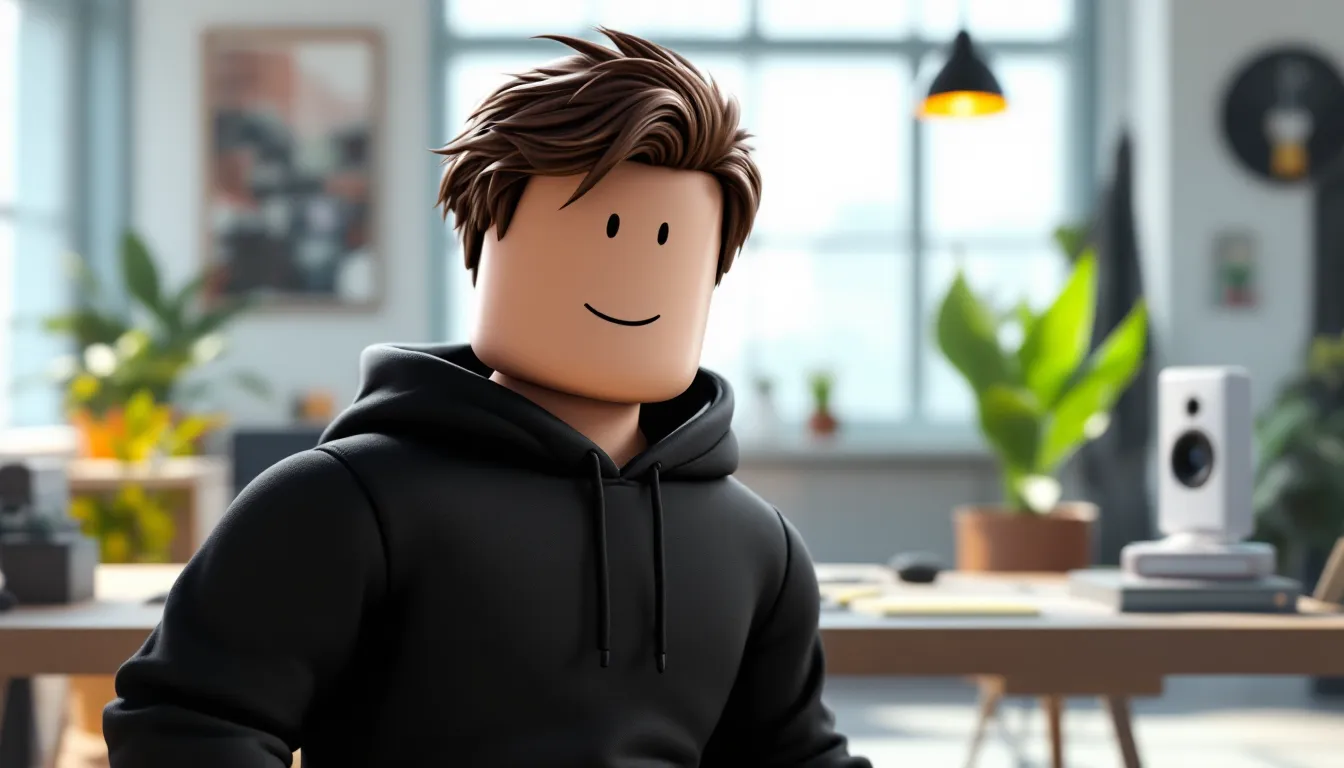
The Roblox man avatar isn’t just a character model, it’s the foundation of how millions of players express themselves across thousands of games. Whether you’re stomping through a horror obby, flexing in a roleplay server, or vibing in a social hangout, your avatar is your digital identity. And while Roblox has evolved massively since its early days, the classic blocky “Roblox man” remains iconic, even as modern body packages offer more realistic proportions and animations.
Understanding how to build, customize, and optimize your Roblox man avatar isn’t just about aesthetics. It impacts how you’re perceived in social spaces, how your character moves in different games, and even how much Robux you’ll need to spend to achieve the look you want. With Roblox’s avatar system expanding in 2026 to include more body types, animation packages, and customization layers than ever before, knowing the ins and outs of avatar creation gives you a real edge.
This guide breaks down everything from the history of the Roblox man to advanced customization techniques, free item sources, and common pitfalls that’ll make your avatar look like a default noob. Let’s immerse.
Key Takeaways
- Your Roblox man avatar is your digital identity and first impression, impacting how you’re perceived in social spaces and competitive games far beyond aesthetics.
- The classic R15 body remains the most compatible option across games, while Rthro bodies offer realistic proportions but risk clipping in older experiences.
- Customize your Roblox man avatar strategically by choosing 3–5 well-coordinated accessories and matching colors rather than overloading with items that clip together.
- Score free avatar items through promo codes, in-game events, Roblox Premium stipends, and creator drops without spending Robux.
- Advanced customization features like outfit saving, hex code skin tones, and animation packages separate memorable avatars from generic defaults.
- Test your final Roblox man design across different game types (obbies, roleplay, PvP) before committing to expensive items to avoid clipping and rendering issues.
What Is Roblox Man?
“Roblox man” refers to the default male avatar body type that’s been the platform’s signature look since the mid-2000s. It’s characterized by its blocky limbs, rectangular torso, and cylindrical head, a deliberately simple design that allowed the platform to run on low-spec hardware while giving players a recognizable form across all experiences.
The term has also become shorthand for any male-presenting avatar, especially those using the classic R15 or R6 body rigs. When players talk about creating a “Roblox man,” they’re usually referring to the process of building a masculine-coded avatar using the available body packages, clothing, and accessories.
The Evolution of the Roblox Man Avatar
The original Roblox man used the R6 rig: six body parts (head, torso, two arms, two legs) with limited articulation. Introduced in 2006, this body type was rigid but efficient, and it’s still available today for nostalgic players and certain games that require its specific hitbox.
In 2016, Roblox launched the R15 rig, which broke the body into 15 parts for smoother animations and more natural movement. Shoulders could rotate independently, knees could bend, and emotes suddenly looked way less janky. The R15 became the new standard for the Roblox man, though R6 loyalists still exist in droves.
By 2024, Roblox introduced layered clothing and body scale sliders, letting players fine-tune proportions beyond preset packages. In 2026, the avatar editor supports height scaling, muscle definition, and even posture adjustments, meaning the “Roblox man” can range from a skinny teen to a buff warrior without switching body packages.
Why the Classic Roblox Man Matters to Players
The blocky aesthetic isn’t just nostalgia bait. It’s functionally important. Many popular Roblox character boy avatars stick to classic proportions because they’re universally compatible across games. A hyper-realistic Rthro body might clip through walls in an older parkour game, but a standard Roblox man just works.
There’s also identity at play. The simplicity of the classic Roblox man lets clothing and accessories do the heavy lifting. A well-chosen shirt, hat combo, and face can communicate personality more effectively than a photorealistic model. In social spaces, players often judge creativity by how someone styles a basic body, not by how much Robux they dumped into premium packages.
Understanding Roblox Avatar Types and Body Packages
Roblox offers multiple avatar frameworks, and choosing the right one affects everything from how your character animates to which clothing items fit properly. As of 2026, the platform supports several distinct body types, each with trade-offs.
Classic Roblox Man vs. Modern Avatar Bodies
The Classic (R6/R15) body is the default Roblox man most players start with. It’s free, supports the widest range of clothing and accessories, and works in every game. R6 is chunkier and more rigid: R15 is smoother and more expressive. Both are considered “safe” choices if you want maximum compatibility.
Rthro bodies, introduced in 2018, aim for more realistic proportions, longer limbs, narrower torsos, defined joints. These were controversial at launch (purists hated the departure from blocky charm), but they’ve found a niche among roleplayers and players who want a less cartoony look. The downside? Some older games don’t scale Rthro models correctly, leading to clipping or broken animations.
Rthro Slender and Rthro Normal variants offer different builds within the realistic aesthetic. Slender is taller and leaner: Normal is stockier. Both support layered clothing better than classic bodies but sacrifice some of that iconic Roblox vibe.
Available Body Packages in 2026
As of March 2026, Roblox offers over 40 body packages in the Avatar Shop, ranging from free defaults to premium builds costing upwards of 500 Robux. Here’s a snapshot of popular options for the Roblox man:
- Blocky (Free): The OG. Maximum nostalgia, maximum compatibility.
- Superhero (Free): Slightly more muscular R15 build, good for action games.
- Rthro Normal (Free): Realistic proportions without going full slender.
- Jacked (475 Robux): Bodybuilder physique, great for gym or combat roleplays.
- Stylish (200 Robux): Sleeker, fashion-forward proportions.
- Cartoony (100 Robux): Exaggerated features, somewhere between classic and Rthro.
Each package includes a preset torso, arms, legs, and sometimes a head. You can mix and match parts from different packages if you own them, letting you build hybrid avatars, like Jacked arms on a Blocky torso for a comically swole look.
Layered clothing (shirts, pants, jackets) works best on R15 and Rthro bodies. If you’re planning to use premium outfits, avoid R6 unless you’re committed to the retro aesthetic.
How to Create and Customize Your Roblox Man Avatar
Building your Roblox man from scratch is straightforward, but there’s depth if you dig into the editor. Here’s how to go from default noob to a personalized character that actually represents you.
Step-by-Step Avatar Creation Guide
- Open the Avatar Editor: From the Roblox homepage, click your profile icon (top-right), then select Avatar. This opens the full editor.
- Choose Your Body Type: Under the Body tab, select a package or go with the default. If you want to customize further, enable Advanced Scaling (more on that below).
- Set Skin Tone: Click Body > Skin Tone and pick from the preset palette or use the hex code input for exact matches. As of 2026, Roblox supports over 100 skin tones, including fantasy colors (green, blue, gray) for non-human avatars.
- Add a Face: Navigate to Head > Face and browse options. Classic smiley is timeless, but there are thousands of purchased faces ranging from anime expressions to meme-tier absurdity.
- Equip Clothing: Under Clothing, add shirts, pants, and T-shirts. Use Layered Clothing for jackets, hoodies, and accessories that drape realistically over your body.
- Accessories: Hats, hair, back accessories, shoulder items, and waist gear all stack. You can wear up to 10 accessories simultaneously (as of the February 2026 update), so mix and match.
- Animation Package: Under Animations, choose a walk/run/jump style. Options range from Ninja (smooth, fast) to Zombie (shuffling, comedic). Your movement in-game reflects this choice.
- Emotes: Equip up to 8 emotes from the Emotes tab for quick expressions in social games.
Choosing the Right Body Type and Scale
If you enable Advanced Scaling (found under Body settings), you can manually adjust:
- Height: 90% to 105% (shorter = faster hitbox perception in some PvP games: taller = intimidation factor).
- Width: 90% to 100% (affects how bulky or slim your torso appears).
- Head Size: 95% to 100% (because sometimes you want that bobblehead look).
- Body Type Sliders: Muscle definition and shoulder width (R15/Rthro only).
For competitive games, players running Roblox Windows setups often optimize for smaller hitboxes by minimizing width and height. For roleplays or social hangouts, go wild, there’s no meta, just vibes.
Best Clothing and Accessories for Roblox Man
Your clothing and accessories define your Roblox man’s personality. Whether you’re going for edgy, preppy, streetwear, or full meme mode, the Avatar Shop has options, though quality varies wildly.
Free vs. Premium Clothing Options
Free Clothing exists, but it’s sparse. Roblox occasionally drops promotional items tied to events (like the Metaverse Champions series in 2024–2025) or brand partnerships. You can also find user-created free shirts and pants, though many are low-resolution or meme-tier.
Premium items range from 5 Robux (basic tees) to 500+ Robux (designer jackets, branded collabs). Layered clothing, which actually conforms to your body’s shape and movement, typically costs 75–300 Robux per piece. If you’re serious about drip, budget at least 500 Robux for a solid outfit.
Where to Shop:
- Avatar Shop (Official): Curated and vetted, but pricey.
- Catalog (User-Created): Hit or miss. Sort by “Most Favorited” to avoid garbage.
- Limited Items: If you’ve got deep pockets, limiteds can run thousands to millions of Robux. They’re tradable and flex-worthy, but not practical for most players.
Top Accessories to Make Your Avatar Stand Out
Accessories are where personality shines. Here are categories and standout picks for the Roblox man in 2026:
Hair:
- Robloxian 2.0 Hair (Free): Clean, simple, works on any head.
- Chill Cap (50 Robux): Backwards cap, eternal streetwear staple.
- Wavy Spikes (100 Robux): Anime-coded, pairs well with hoodies.
Hats:
- Headphones (75 Robux): Classic gamer look.
- Bandana (40 Robux): Instant edge.
- Top Hat (100 Robux): Meme or class, context-dependent.
Face Accessories:
- Shades (Free during events, otherwise ~30 Robux): Never not cool.
- Masks: Gas masks, bandanas, and anime-style masks are huge among popular Roblox character boy builds.
Back/Shoulder Items:
- Wings (200+ Robux): Fantasy or angel vibes.
- Backpack (50 Robux): Casual realism.
- Sword Sheaths (100 Robux): Roleplay essential.
Pro tip: Don’t overload. Three to five well-chosen accessories > ten random items clipping into each other.
Advanced Customization Techniques for Roblox Man
Once you’ve nailed the basics, there are layers of customization that separate generic avatars from memorable ones. Let’s dig into the tools that let you fine-tune every detail.
Using Avatar Editor Features
The Avatar Editor in 2026 includes several underused features:
- Outfit Saving: You can save up to 50 outfits and swap between them instantly. Create themed loadouts (e.g., “Casual,” “Tryhard PvP,” “Roleplay Villain”) and switch based on the game.
- Randomize Button: Feeling stuck? Hit randomize under each category (body, clothing, accessories). It’s chaotic, but sometimes you stumble on a combo you’d never have tried.
- Preview in 3D: Rotate your avatar in the editor to check for clipping, mismatched colors, or accessories that look weird from the side.
- Import Codes: Some creators share avatar setup codes on social media. Paste them into the editor’s code field to clone a look, then tweak it.
Color Customization and Skin Tones
Skin tone isn’t limited to realistic human shades. If you’re building a fantasy or alien Roblox man, try:
- Hex Code Input: Click “Advanced” under Skin Tone and enter a hex code. Want a purple alien? #8A2BE2. A mossy green creature? #6B8E23.
- Matching Accessories to Skin: Some accessories (like certain hair or hats) inherit your skin tone. Preview carefully to avoid clashes.
- Layered Clothing Colors: Many layered items let you recolor them. A single hoodie can be red, black, camo, or neon depending on your choice, stretching your Robux further.
Players looking to discover how to get premium items without spending can check event catalogs and limited-time promos.
Animation Packages and Emotes
Animation Packages change your idle stance, walk cycle, run speed (visually, not mechanically), jump style, and how emotes play out. Popular picks:
- Ninja (Free): Smooth, low-profile run. Looks clean in any game.
- Superhero (100 Robux): Confident stride, fists-ready idle.
- Zombie (75 Robux): Comedic value, perfect for horror roleplays.
- Stylish (200 Robux): Runway-model strut, ironically popular in combat games.
Emotes are social currency. Equip a mix of useful ones:
- Wave, Point, Dance: Social basics.
- Laugh, Shrug: Communicate without chat.
- Sit, Sleep: Necessary for hangout games.
Some emotes are free: others cost 50–200 Robux. Events and promotional codes occasionally drop exclusive emotes, according to coverage from Kotaku, Roblox’s 2025 holiday event gave away a “Candy Cane Spin” emote that became a flex in early 2026.
How Roblox Man Impacts Gameplay and Experience
Your avatar isn’t just cosmetic. In certain games, body type, scale, and even accessories can subtly (or not-so-subtly) affect performance and how other players interact with you.
Avatar Performance in Different Games
Some Roblox experiences enforce avatar rules. Here’s what to expect:
- Obbies and Parkour Games: Often force a standardized avatar or disable accessories that might block your view or cause clipping. Your chosen body package usually doesn’t matter here.
- Roleplay Games (Brookhaven, Bloxburg): Avatar freedom is the whole point. A well-customized Roblox man signals that you care about the experience. Default avatars are often ignored or treated as “noobs.”
- PvP/Combat Games (Arsenal, Phantom Forces): Hitboxes are typically standardized, but taller or wider avatars can feel easier to hit, even if the actual hitbox is identical. Competitive players often minimize height/width for psychological advantage.
- Horror Games: Some developers use your avatar in cutscenes or reflections. A goofy emote or mismatched accessories can break immersion (or add comedic relief, depending on your vibe).
Social Perception and Avatar Identity
Like it or not, players judge you by your avatar. A generic Roblox man with default clothing reads as either brand-new or someone who doesn’t care. That’s fine if you’re just messing around, but in social or roleplay spaces, first impressions matter.
High-effort avatars (custom colors, layered clothing, thematic accessories) signal investment. You’re more likely to be invited to groups, trusted in trades, or approached for collabs. It’s shallow, but it’s real.
Popular Roblox character boy archetypes in 2026 include:
- Streetwear Hype: Hoodie, joggers, sneakers, backwards cap, shades. Clean and universally respected.
- Anime Protagonist: Spiky hair, katana back accessory, serious face, often Rthro Slender body.
- Edgelord: All black, mask, hood, dark wings. Overdone but still common.
- Meme King: Cursed accessories, clashing colors, absurd emotes. Ironically beloved.
Reports from DualShockers noted that Roblox avatar trends cycle fast, what’s cool in March 2026 might be cringe by June. Stay flexible.
Tips for Getting Free Items for Your Roblox Man Avatar
Robux paywalls are real, but there are legit ways to score free items without spending a dime. Here’s where to look.
1. Promo Codes
Roblox regularly releases promo codes tied to events, brand partnerships, or milestones. These codes unlock exclusive items, usually accessories or clothing. Check the official Roblox social media (Twitter/X, Discord, YouTube) or fansites that aggregate active codes. As of March 2026, recent codes included “SPIDERCOLA” (Spider-themed shoulder pet) and “TWEETROBLOX” (Blue bird hat).
2. In-Game Events
Games like Metaverse Champions, RB Battles, and The Classic offer free avatar items as rewards for completing challenges. These events rotate every few months. Completing them nets you exclusive gear that often becomes flex-worthy later. Players managing their Roblox safety guide settings can participate safely by using parental controls for younger users.
3. Roblox Premium Stipends
If you subscribe to Roblox Premium ($4.99/month for 450 Robux), you’re not exactly getting items “free,” but the monthly Robux stipend pays for itself if you buy items regularly. Premium also grants access to exclusive free items in the Avatar Shop.
4. Creator Challenges and UGC Drops
Some UGC (user-generated content) creators release free items to promote their catalogs. Follow popular creators on Roblox or Twitter to catch these drops. They’re limited-time and often snapped up fast.
5. Official Roblox Partnerships
Brands like NFL, Gucci, Nike, and Ralph Lauren have run Roblox activations that included free or cheap branded items. Keep an eye on IGN coverage of Roblox collabs for heads-ups.
6. Avoid Scams
Sites promising “free Robux” or “unlimited items” are almost always phishing scams. Roblox will never ask for your password outside the official site. Stick to promo codes from verified sources and in-game events.
Common Mistakes to Avoid When Customizing Your Avatar
Even experienced players screw up their Roblox man sometimes. Here are the pitfalls to dodge.
Overloading Accessories
More isn’t always better. Stacking 10 accessories often leads to clipping nightmares, hats floating through hair, wings poking through jackets, shoulder items buried in your torso. Aim for balance: one or two standout pieces, the rest supporting.
Ignoring Color Coordination
Random colors scream “noob” louder than default clothing. Pick a palette (two to three colors max) and stick to it. Black/white/red is a safe combo. Neon green pants + bright orange shirt + purple hat = visual chaos.
Using Outdated Body Packages
Some older packages (pre-2020) don’t support layered clothing or have janky animations. If you’re investing Robux in premium outfits, make sure your body package is R15 or Rthro-compatible.
Neglecting Face/Head
Your face is front and center in social interactions. A mismatched or low-res face drags down even the best outfit. Invest in a quality face or stick with a clean classic like Smile or Stitch Face.
Forgetting Animation Packages
The default walk/run is stiff and dated. A good animation package (many are free) instantly elevates your avatar’s vibe. Don’t sleep on this.
Buying Knock-Offs
The user-created catalog is flooded with low-quality clones of popular items. Check the creator’s profile and item reviews before buying. Official Roblox items or verified UGC creators are safer bets.
Not Testing in Different Games
Your avatar might look fire in the editor but clip horribly in certain games. Join a few different experiences (obby, roleplay, social hangout) and check how your Roblox man renders before committing to an expensive setup. Those who explore options like APK Roblox free methods should note that unofficial clients can distort avatar rendering.
Conclusion
The Roblox man avatar is more than a placeholder, it’s your in-game identity, your first impression, and sometimes your competitive edge. Whether you’re rocking the classic blocky build or pushing the limits with Rthro proportions and layered clothing, the key is intentionality. Every choice, from body package to emote loadout, shapes how you’re seen and how you experience the platform.
In 2026, Roblox’s avatar tools are deeper than ever, but that depth only matters if you use it. Experiment with scaling, hunt down free items through events and promo codes, and don’t be afraid to iterate. Your avatar will evolve as you do, and that’s the whole point. Now get in the editor and build something that actually looks like you.