

Roblox has evolved far beyond its origins as a simple building platform. Today, self-expression through avatar customization is just as important as the games themselves. Whether you’re dropping into a roleplaying server, showing off in a competitive lobby, or just hanging out with friends, your avatar is your identity. Roblox skins are the foundation of that identity, letting players craft unique looks that stand out in a sea of blocky characters.
In 2026, the options are more diverse than ever. From classic shirt-and-pants combos to cutting-edge layered clothing and animated accessories, the customization meta has shifted dramatically. Understanding how to navigate the Avatar Shop, spot limited drops, and create your own designs can mean the difference between looking like every other default character and turning heads wherever you spawn. This guide breaks down everything you need to know about roblox skins, from the basics to advanced customization strategies.
Key Takeaways
- Roblox skins are wearable cosmetic items that define your avatar’s appearance and communicate your identity before you type a single word in social or competitive environments.
- Layered 3D clothing has become the gold standard for customization in 2026, offering realistic depth and dynamic fitting compared to classic 2D textures.
- Trending aesthetics like Y2K, dark academia, cyberpunk, cottagecore, and streetwear dominate the platform, with aesthetic-driven customization becoming a primary engagement driver for players.
- Limited edition items and exclusive collaborative drops command high secondary market prices, requiring vigilance and marketplace tracking tools like Rolimons to spot valuable deals.
- Creating and selling your own custom Roblox skins through the UGC program can generate revenue, but requires learning design tools like Blender and understanding Roblox’s technical specifications.
- Protecting your account with 2-step verification and using Roblox’s official trading system is essential to avoid the 25% increase in scams targeting limited item traders in 2025.
What Are Roblox Skins and Why Do They Matter?
Understanding the Difference Between Skins and Avatars
The terminology can get fuzzy, so let’s clarify. In Roblox, “skins” typically refer to the clothing items, textures, and cosmetic pieces you apply to your avatar. Your avatar is the actual 3D character model, the body, face, animations, and overall package. Skins are the cosmetic layer: shirts, pants, accessories, hair, face decals, and more.
Unlike games where a “skin” replaces your entire character model (think Fortnite or Valorant), Roblox operates on a modular system. You’re building your look piece by piece. A skin might be a 2D texture mapped onto a shirt object, or it could be a complex layered clothing item with depth and realistic folds. The avatar itself can be customized too, height, width, body type, but when most players talk about “roblox skin” options, they’re referring to the wearable items that define your style.
How Roblox Skins Enhance Your Gaming Experience
Customization isn’t just vanity. In social-driven games and roleplay experiences, your avatar communicates who you are before you type a single word. A well-curated look signals effort, creativity, and sometimes status, especially if you’re rocking rare or limited items.
Skins also impact immersion. If you’re playing a medieval RPG experience, a knight-themed outfit feels more engaging than a default look. In horror games, the right aesthetic can heighten the tension. Competitive players often lean into clean, minimal designs to reduce visual clutter, while socializers go all-out with flashy animated accessories.
There’s also the psychological boost. Players who invest time in their appearance tend to feel more connected to their avatar and the platform. It’s the same reason people spend hours tweaking character creators in RPGs. When your personajes de roblox reflect your taste and personality, you’re more likely to stay engaged and invested in the community.
Types of Roblox Skins Available in 2026
Classic Skins vs. Layered Clothing
Classic skins are the OG format: 2D images uploaded as shirts, pants, and t-shirts. These textures wrap directly onto your avatar’s torso and legs. They’re simple, lightweight, and still popular for retro or minimalist looks. Classic skins are also the easiest to create, any image editor and a template will do.
Layered clothing arrived in late 2021 and has since become the gold standard. These are 3D garments with actual depth, folds, and realistic draping. Layered clothing fits over your avatar’s body type dynamically, adjusting to proportions. Hoodies, jackets, skirts, and accessories like belts now look like actual clothing rather than painted-on textures. The Roupa 3d Roblox trend highlighted just how much more immersive 3D garments can be compared to flat textures.
In 2026, most premium and limited items use layered clothing tech. If you’re serious about standing out, this is where you invest.
Limited Edition and Exclusive Skins
Limited items are the grails of Roblox customization. These skins were sold for a finite period or in limited quantities, and once they’re gone, they’re only available through player trading. Limited and Limited U (Unique) tags signify scarcity, and prices can skyrocket on the secondary market.
Exclusive skins also drop through partnerships, events, and promotional codes. Brand collaborations, like those with musicians, movies, or esports orgs, often produce one-time items. Players who snagged the exclusive collab items from 2025’s music festival events now have pieces that can’t be obtained any other way.
Tracking these drops requires vigilance. Following Roblox’s official social channels and community hubs is essential if you want first dibs.
Animated and Dynamic Skins
Animated skins and accessories are the current frontier. Think glowing eyes, particle effects, color-shifting textures, and items that react to movement or emotes. Dynamic skins might change appearance based on in-game context, like a jacket that shimmers when you run or a cape that billows dramatically.
These items are resource-intensive and usually come with a premium price tag. They’re status symbols, plain and simple. In competitive or social hubs, animated accessories catch eyes and signal that you’ve either spent serious Robux or scored a rare drop.
According to analysis from Game8, animated items have seen a 40% increase in marketplace transactions since late 2025, reflecting their growing popularity among high-engagement players.
Where to Find and Download Roblox Skins
Official Roblox Avatar Shop
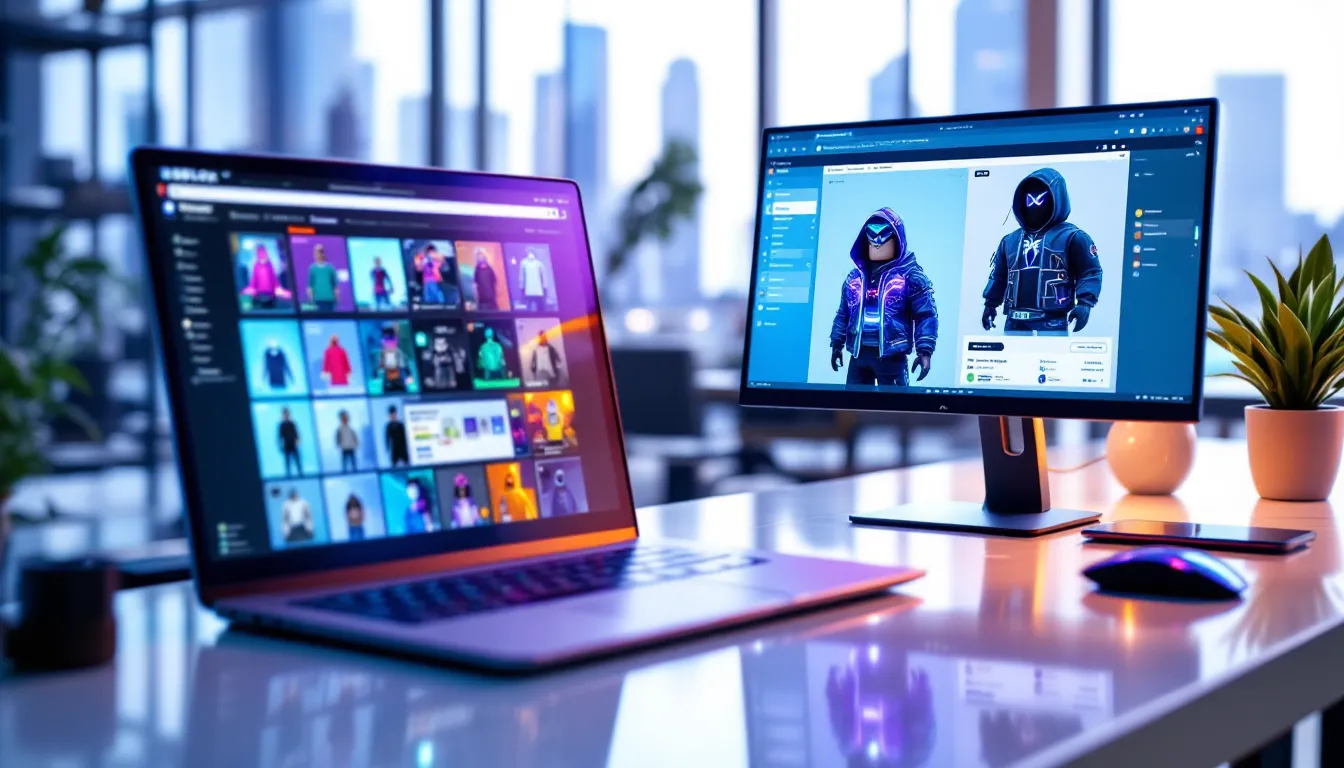
The Avatar Shop is your starting point. Accessible via the Roblox website or app, it hosts millions of items across every category: clothing, accessories, body parts, animations, and emotes. You can filter by price (free, Robux, Premium-only), item type, genre, and creator.
Roblox-created items are labeled as official, while community creators have their own storefronts. The shop’s algorithm surfaces trending items, but if you want hidden gems, use specific search terms and dig past the first page. Seasonal events often bring limited-time shop sections with exclusive items.
Bookmark items you like but can’t afford yet, prices sometimes drop, or you might spot them in trades later.
Community-Created Skins and Marketplaces
A huge chunk of Roblox’s catalog comes from the creator community. The Roblox UGC (User-Generated Content) program lets approved designers upload and sell their creations. This democratized the marketplace and flooded it with everything from hyper-realistic streetwear to niche anime-inspired accessories.
Third-party sites like Rolimons and RblxTrade aggregate marketplace data, track item values, and help players find deals. These aren’t official Roblox tools, but they’re widely used for price checks and trade research. Players looking to enhance their avatars often explore strategies like those discussed in free Robux methods, though caution is essential to avoid scams.
Free vs. Premium Skin Options
Free items exist, but they’re basic. Roblox offers a rotating selection of free shirts, pants, and accessories, perfect for new players or those building themed alts. Community creators occasionally release free items as promotional pieces or to build their brand.
Premium subscribers (formerly Builders Club) get a monthly Robux stipend and access to Premium-only items and sales. If you’re serious about customization, Premium pays for itself. The Robux allowance lets you buy mid-tier items regularly, and exclusive sales can save you 20-30% on high-value pieces.
Some players argue free skins can look just as good with the right combinations, but realistically, premium and paid items offer far more variety and quality.
How to Equip and Customize Your Roblox Skins
Step-by-Step Guide to Changing Your Skin
Equipping skins in Roblox is straightforward once you know where to click. Here’s the process:
- Open the Avatar Editor: On desktop, click the three-line menu icon, then “Avatar.” On mobile, tap your profile icon and select “Avatar.”
- Access Your Inventory: Click “Inventory” to see items you own, or browse the shop to buy new ones.
- Select an Item: Click or tap an item to preview it on your avatar in real time.
- Wear or Remove: Hit “Wear” to equip it, or “Remove” to take it off. You can wear multiple items simultaneously, shirts, pants, accessories, hats, etc.
- Adjust Layering: If items overlap awkwardly, use the “Advanced” settings to adjust layering order. Some accessories let you tweak position, scale, and rotation.
- Save Outfits: Use the “Outfits” tab to save combinations for quick swapping. You can store up to 50 outfit presets (increased from 25 in late 2024).
If you’re on mobile, the interface is nearly identical, just optimized for touch. Changes sync across all devices instantly.
Mixing and Matching Items for Unique Looks
The real art of customization is layering. Roblox’s system lets you stack accessories, clothing, and effects in ways that create genuinely original looks. Players invest time experimenting with combinations that reflect aesthetics like cyberpunk, cottagecore, streetwear, fantasy, or horror.
Key tips for mixing:
- Color coordination: Match or contrast intentionally. Random colors rarely work unless you’re going for chaos.
- Silhouette balance: Pair bulky items (oversized hoodies, big hair) with streamlined pieces to avoid a cluttered look.
- Theme coherence: Commit to an aesthetic. Mixing medieval armor with modern sneakers works only if that’s the vibe you’re going for.
- Accessory limits: You can wear multiple accessories, but more isn’t always better. Overdoing it creates visual noise.
Community fashion hubs and social experiences often host avatar contests. Winning these requires both creativity and understanding of current trends. Many players draw inspiration from exploring how other personajes de roblox are styled in popular games, then adding their own twist.
Creating Your Own Custom Roblox Skins
Tools and Software for Designing Skins
Creating custom skins gives you full control over your look, and if you’re talented, a potential revenue stream. For classic 2D skins, you’ll need:
- Image editing software: Photoshop, GIMP, or even free tools like Pixlr work fine.
- Roblox templates: Download the official shirt and pants templates from the Roblox Creator Hub. These show you where seams and folds will appear on the 3D model.
- Design skills: You don’t need to be a professional artist, but understanding color theory, symmetry, and texture helps.
For layered clothing and 3D accessories, the process is more complex:
- Blender: Free, powerful, and the industry standard for Roblox 3D creation. Roblox provides official plugins and tutorials.
- Roblox Studio: Used to import, test, and publish your creations.
- Rigging knowledge: Layered clothing must be rigged to deform with the avatar’s body. This requires learning weight painting and cage mesh setup.
Roblox’s Creator Hub has extensive documentation, and YouTube is packed with tutorials. The learning curve is steep, but the UGC program makes it possible to monetize quality work. Many successful designers earn thousands of Robux monthly.
Uploading and Publishing Your Custom Creations
Once your design is ready, uploading depends on the item type. For classic 2D shirts and pants:
- Go to the “Create” section on Roblox.com.
- Select “Shirts” or “Pants.”
- Upload your image file (PNG or JPEG, specific dimensions required).
- Pay the upload fee (currently 10 Robux).
- Set a name, description, and decide if it’s for sale or personal use.
For layered clothing and accessories, you must be part of the UGC program, which requires an application and approval. Once accepted:
- Create your item in Blender following Roblox’s technical specs.
- Import it into Roblox Studio for testing.
- Upload it through the UGC portal, set pricing, and submit for moderation.
- If approved, it goes live in the Avatar Shop.
Moderation can take hours to days. Items must comply with Roblox’s community standards, no copyrighted material, inappropriate content, or misleading assets. Violations can result in bans.
Best Roblox Skins and Trending Styles in 2026
Popular Aesthetic and Theme-Based Skins
Roblox fashion moves fast, but certain aesthetics have staying power. In 2026, these are dominating:
- Y2K revival: Low-rise jeans, butterfly clips, pastel color palettes, and chunky sneakers.
- Dark academia: Tweed blazers, turtlenecks, vintage glasses, and muted earth tones.
- Cyberpunk: Neon accents, techwear, glowing accessories, and futuristic visors.
- Cottagecore: Flowy dresses, floral patterns, straw hats, and soft, natural colors.
- Streetwear: Oversized hoodies, branded tracksuits, high-top sneakers, and bucket hats.
These trends mirror real-world fashion cycles and TikTok aesthetics. Players who nail the current vibe often gain social clout in roleplay and hangout experiences. According to insights shared on Twinfinite, aesthetic-driven customization is now a primary engagement driver for Gen Z Roblox users.
Celebrity and Character-Inspired Skins
Celebrity collabs and pop culture references are huge. Official partnerships with artists, athletes, and franchises bring branded items into the shop. In 2025, collaborations with major music acts and sports leagues set sales records.
Community creators also produce unofficial homages, anime character outfits, movie-inspired looks, and famous influencer styles. While Roblox moderates copyright infringement, many “inspired by” items skirt the line and become cult favorites.
Players often recreate iconic characters from other games, shows, or memes. A well-executed homage to a trending character can make your avatar instantly recognizable. Some players even build entire personas around these looks, becoming known for their signature style in popular experiences. Exploring options like promo codes for free items can help budget-conscious players access trending pieces without spending heavily.
Tips for Getting Rare and Valuable Skins
Trading Strategies for Limited Items
Trading is an art. Limited items fluctuate in value based on demand, scarcity, and market trends. Here’s how to play it smart:
- Track item values: Use Rolimons or RblxTrade to monitor recent sale prices (RAP, Recent Average Price) and demand ratings.
- Buy low, sell high: Snipe undervalued items during market dips or panic sells, then flip them when demand spikes.
- Diversify your portfolio: Don’t dump all your Robux into one item. Spread investments across multiple limiteds to hedge risk.
- Patience pays: Some items take months to appreciate. If you’re not in a rush, holding can yield better returns than quick flips.
- Join trading communities: Discord servers and forums share tips, market analysis, and trade offers. Networking helps you spot deals early.
Successful traders treat Roblox limiteds like stocks. They study trends, understand seasonal demand (e.g., holiday items spike in December), and capitalize on hype cycles.
Avoiding Scams and Staying Safe
The trading scene attracts scammers. Common tactics include:
- Fake middleman scams: A “trusted” third party facilitates a trade but steals items.
- Phishing links: Messages with links to fake Roblox login pages that harvest credentials.
- Poisoned trades: Offering items that appear valuable but are actually duped or flagged, leading to account bans.
- “Free Robux” sites: Promising currency in exchange for account access or surveys, always a scam.
Protection strategies:
- Never share your password or 2FA codes: Roblox staff will never ask for these.
- Use Roblox’s official trading system: Never trade outside the platform, regardless of promises.
- Verify item values independently: Don’t trust a trader’s word, check third-party data yourself.
- Enable 2-step verification: Adds a critical layer of account security.
- Report suspicious activity: Help keep the community safe by flagging scammers.
According to Game Rant, trading scams increased 25% in 2025 as limited item values surged, making vigilance more important than ever.
Common Mistakes to Avoid When Using Roblox Skins
Even experienced players make customization missteps. Here’s what to watch out for:
Overspending on trending items: Hype-driven purchases often lose value fast. That viral accessory from last month might be worthless now. Buy what you genuinely like, not just what’s hot.
Ignoring body type compatibility: Some layered clothing items look fantastic on certain body types but weird on others. Always preview items on your avatar before buying.
Skipping outfit saves: You spent an hour perfecting a look, then accidentally reset your avatar. Save outfits regularly to avoid redoing work. Players exploring various customization approaches, such as through methods discussed in Rbx.skin strategies, often overlook this simple step.
Cluttering your avatar: More accessories don’t equal better. Visual clarity matters, especially in fast-paced games. A clean, cohesive look often beats a chaotic pile of items.
Forgetting about animations: Your skin looks great standing still, but does it clip or glitch during emotes and movements? Test animations before committing to a look for important events or contests.
Neglecting to check item descriptions: Some items have restrictions, gender-locked, body type-specific, or only visible in certain lighting. Read the fine print.
Falling for “exclusive” bait: Sellers sometimes inflate perceived value by claiming an item is rarer than it actually is. Cross-reference claims with marketplace data before trading.
Not backing up account security: A compromised account means losing all your skins and items. Strong passwords, 2FA, and avoiding sketchy sites are non-negotiable.
Conclusion
Roblox skins have grown from simple 2D textures into a complex, vibrant ecosystem of self-expression and virtual fashion. Whether you’re drawn to minimalist classic looks, cutting-edge layered clothing, or the thrill of trading rare limiteds, there’s a customization path that fits your style and budget. The platform’s 2026 iteration offers more tools, more variety, and more opportunities to stand out than ever before.
Success in the customization game comes down to knowledge and patience. Understanding the difference between item types, knowing where to find deals, mastering the mixing and matching process, and staying safe from scams will put you ahead of most players. If you’re creatively inclined, designing and selling your own skins opens up an entirely new dimension, and potential revenue stream.
The meta will keep shifting. New tech like enhanced dynamic items and deeper body customization is already on the horizon. But the core principle remains: your avatar is your identity in Roblox. Invest time in crafting a look that feels authentically you, and you’ll not only enjoy the platform more, you’ll leave a lasting impression in every experience you join.