


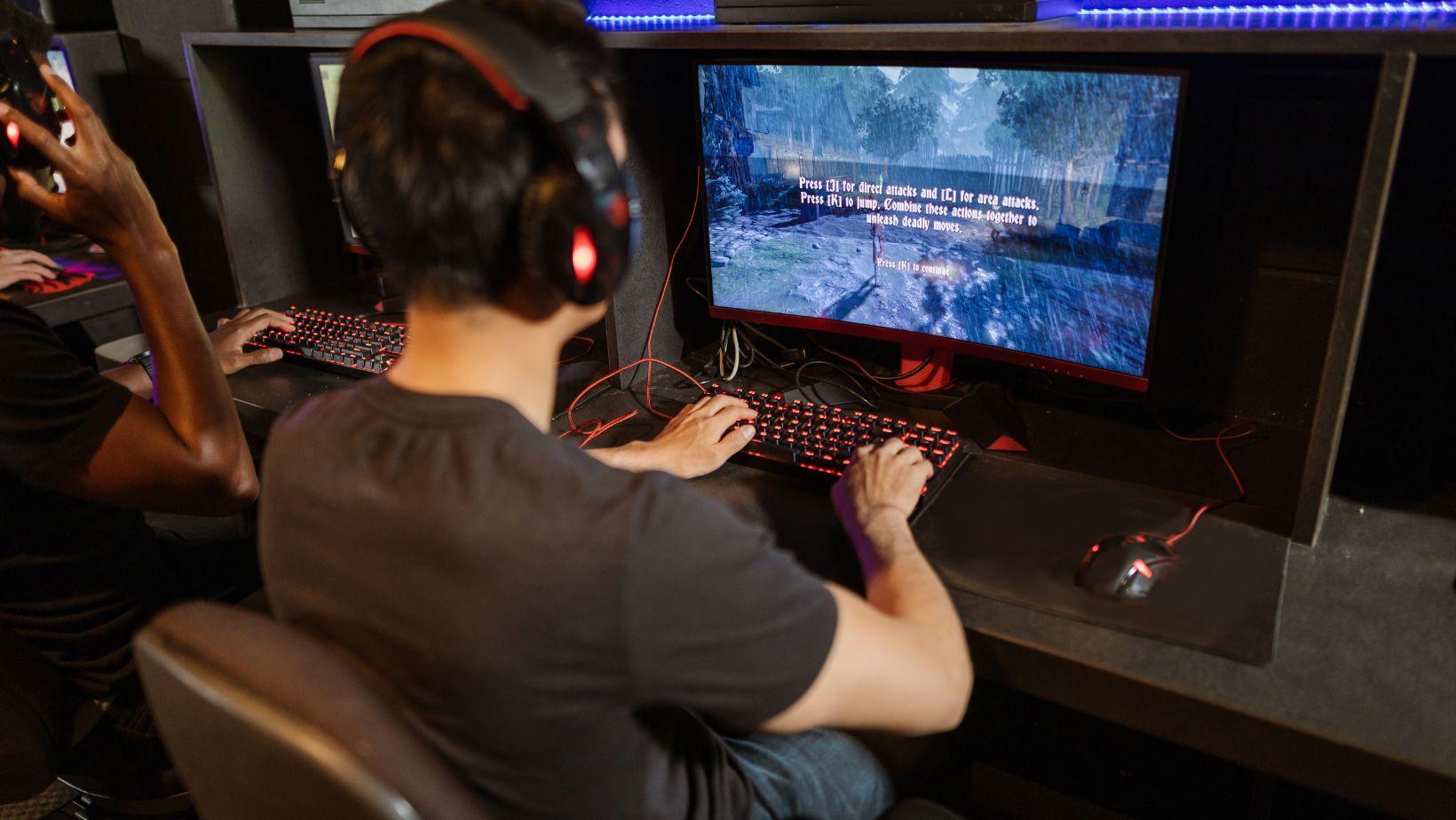
You probably sit about 18 inches from your screen during a ranked match. That is roughly the distance most people hold a phone, and it is why your eyes feel like sandpaper after two hours. The comfortable range for a desktop monitor is actually 20 to 40 inches, with the sweet spot closer to an arm’s length. This article walks through the numbers, the vision science behind them, and a dead simple test you can run tonight to find your own perfect distance.
Why the 20 to 40 inch Rule Exists
Your eyes are muscles. Hold any muscle in a fixed, strained position long enough and it fatigues. Screen distance dictates how hard those muscles work. When you sit too close, your eyes constantly converge inward and your focusing system stays locked at maximum effort. Sit too far and you lean forward to read small text, which kills your posture and drags your face back toward the screen anyway.
Vision researchers have studied this for decades, and the numbers are consistent. The American Academy of Ophthalmology points to a baseline of roughly an arm’s length for computer work, and the CDC (1997) published ergonomic guidance recommending a viewing distance of 20 to 40 inches for display work. That range is not a suggestion. It is the distance where your focusing muscles, called the ciliary muscles, operate at their lowest tension.
Here is the part nobody bothers to explain: the range scales with screen size. A 24 inch monitor at 20 inches feels natural. A 32 inch monitor at 20 inches forces your eyes to sweep a wider arc, which increases movement fatigue. For larger screens, push toward the 30 to 40 inch end.
What Viewing Angle Does to Your Neck
Distance is half the equation. The vertical angle of your screen is the half that ruins your spine. The ideal setup puts the top of your monitor at or slightly below eye level, so you gaze down at the center of the screen at a 15 to 20 degree angle. That angle matters because it keeps your cervical spine in a neutral position.
When your monitor sits too low, you drop your chin toward your chest. That position adds significant compressive load to your lower cervical vertebrae. Gamers who grind five hour sessions with a low laptop screen are essentially doing an isometric neck exercise the entire time, and not a healthy one. Raise the screen. It is the cheapest ergonomic fix in gaming and almost nobody does it.
The Brightness and Blink Connection
You can sit at the perfect distance and still wreck your eyes if your brightness is wrong. A screen that is dramatically brighter than the room forces your pupils to constrict constantly, which adds strain on top of focusing effort. The fix is boring but effective: match your screen brightness to your ambient lighting rather than cranking it to max for visual clarity.
Here is a number that should change your behavior. The National Eye Institute reports that people blink about 66 percent less often than normal while staring at screens. Fewer blinks means drier eyes, and dry eyes amplify every other source of fatigue. Distance does not fix blinking. But a properly positioned screen reduces the overall workload, which gives your tear film a fighting chance.
A 3 Step Test to Find Your Distance Tonight
Forget measuring tapes and laser rangefinders. Run this test in under five minutes.
Step 1: The Arm Test
Extend your arm fully and place your palm flat against the screen. If your fingers touch the glass with your elbow straight, you are sitting too close. Push your chair back until your elbow bends slightly at full arm extension. That is your starting distance.
Step 2: The Text Test
Open a typical game menu or a webpage with body text. Lean back to your new distance. If you find yourself squinting or leaning forward to read the text, increase your UI scale in the game settings rather than moving closer. Modern games let you scale interfaces independently. Use it.
Step 3: The 20 Minute Check
Play for 20 minutes at that distance. Then pause and notice your shoulders. If they crept up toward your ears or your head drifted forward, your setup is still off. Adjust the monitor height, not the distance, and try again.
That sequence works because it tests your actual behavior instead of abstract measurements. Nobody sits perfectly still during a match. You shift, you lean, you tense up during clutch moments. The distance that works is the one you settle into when you are not thinking about it.
Why Resolution Changes the Math
A 1080p monitor and a 4K monitor at the same physical size demand different distances. Higher pixel density means sharper text at closer range, which lets you sit nearer without noticing pixel structure. But sharper pixels are not a license to sit closer. The eye strain from short distances comes from muscle tension, not pixel visibility.
The practical takeaway: if you just upgraded to 4K and instinctively moved closer to admire the detail, move back. You are trading a marginally crisper image for measurable focusing fatigue. The resolution is still visible at 30 inches. Your eye muscles, however, will feel the difference at 18.
Laptops Break All the Rules
Laptop gaming is the worst case scenario for every principle above. The screen is attached to the keyboard, so you cannot raise the display to eye level without an external stand, and you cannot push the screen to a comfortable distance without hunching over the keys. The physics simply do not cooperate.
If you play on a laptop more than occasionally, spend the money on an external monitor and keyboard. That is not a luxury purchase. A separate monitor at the correct height and distance, with your laptop keyboard pulled toward you at desk height, eliminates the two main posture failures of portable gaming in one move.
The Connection to Your Crypto Side Hustle
Here is a scenario that ties all of this together. You are grinding ranked games and, between matches, you check your portfolio or place a quick order on an exchange. You glance at prices on your phone at 12 inches, then swing back to your monitor at 20, then check a trading chart on another tab. Your eyes are doing more focal gymnastics in an hour than a typical office worker does in a day.
Screen distance discipline matters even more when you split attention between devices. If you track the ethereum price aud on your second monitor while gaming on your primary, set both screens at the same distance and height. Mismatched setups force your eyes to refocus and your neck to rotate repeatedly. Consistency between monitors reduces that load dramatically.
Treat your trading monitor the same way you treat your gaming monitor. It is still a screen. It still needs to sit at arm’s length with the top edge at eye level.
What the Research Actually Says About Breaks
You have heard the 20 20 20 rule a hundred times: every 20 minutes, look at something 20 feet away for 20 seconds. The rule is easy to mock and surprisingly hard to follow mid-match. So let me reframe it for gamers. You already take breaks between rounds, between deaths, between matches. The break is not the problem. What you do during the break is.
Glancing at your phone during a loading screen does not rest your eyes. You are just changing the focal distance from 20 inches to 12. A real break means looking across the room or out a window at something genuinely distant. Arizona State University’s College of Health Solutions research has documented how sustained near work drives the symptoms of computer vision syndrome, and the recovery mechanism is always the same: distance. Ten seconds of true distance viewing between matches does more for your eyes than a ten minute break spent scrolling social media.
Signs Your Distance Is Still Wrong
Your body tells you when the setup is broken. Watch for these three signals over your next few sessions.
- Headaches that start behind your eyes or across your forehead roughly an hour into play
- A tendency to lean forward during intense moments without realizing it
- Blurry vision that clears after you look away for a few seconds
Any one of those means your distance or height is off. Do not push through it. Adjust the setup first, because no gaming session is worth a week of recurring eye pain.
The Setup That Actually Works
Here is my honest recommendation after testing all of this myself. Sit back until your elbow bends at about 100 degrees when your hand rests on the mouse. Position the monitor so your eyes land on the upper third of the screen. Match brightness to the room. And for the love of good posture, stop checking your phone between rounds.
None of this requires expensive gear. A stack of books under your monitor fixes height. A chair adjustment fixes distance. You already own everything you need. The question is whether you will bother to set it up before your next session, or wait until your eyes force the issue.