


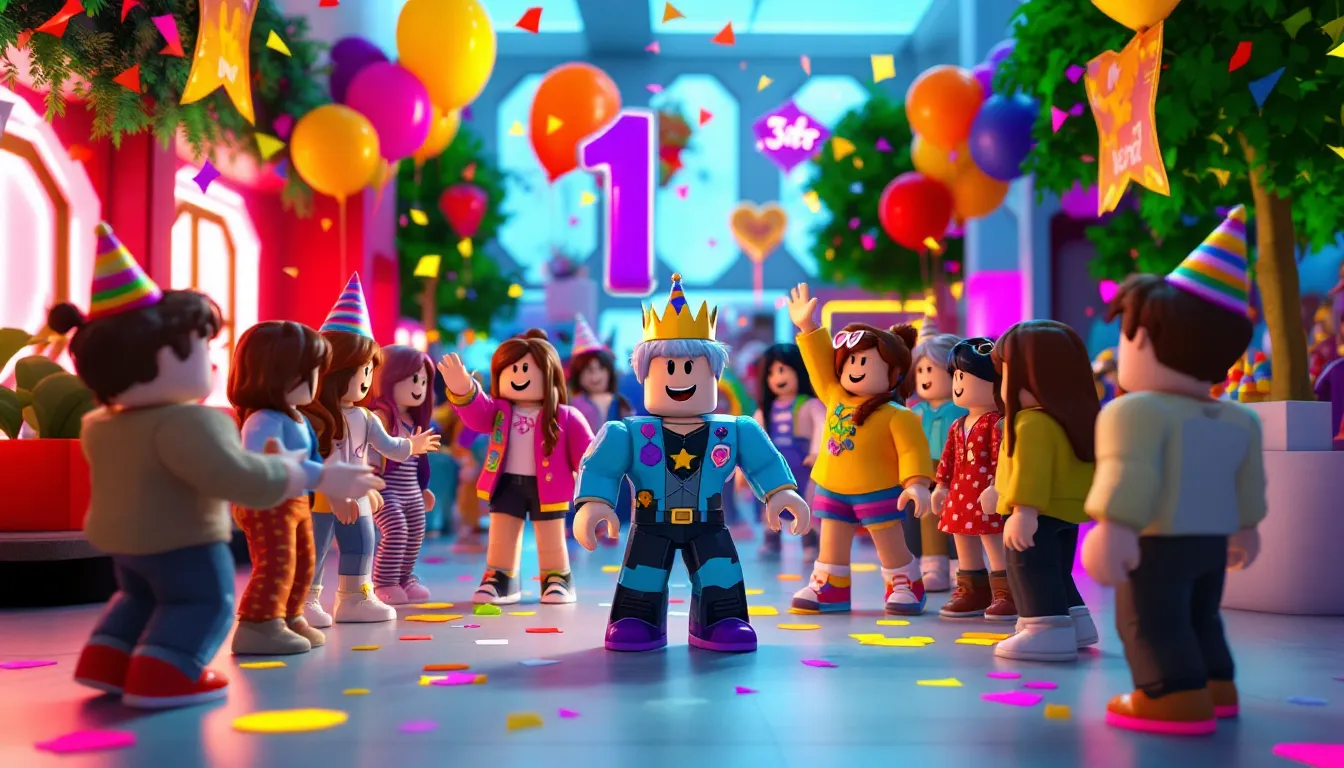
Celebrating another trip around the sun doesn’t have to mean the same old cake-and-balloons routine. For gamers and Roblox enthusiasts, virtual birthday parties have evolved from a pandemic workaround into a legitimate celebration choice, one that often beats real-world parties for sheer creativity and fun. In 2026, Roblox birthday parties combine the social energy of multiplayer gaming with personalized experiences that can’t be replicated in a backyard.
Whether the birthday kid is into obstacle courses, roleplay hangouts, or building challenges, Roblox offers a platform where friends from across the globe can join in without worrying about geography or weather. The platform’s flexibility means parties can be tailored to any interest, age group, or budget. Plus, there’s something uniquely satisfying about commemorating a milestone in a world where creativity has no limits and everyone’s invited, even that friend who moved three states away.
Key Takeaways
- Roblox birthday parties eliminate geographic and budget barriers by allowing friends from anywhere to celebrate together without venue rental or catering costs.
- Success requires matching game selection to your guest list’s skill level and interests—Adopt Me. and Brookhaven work for mixed players, while Tower of Hell suits experienced gamers looking for competitive challenges.
- Private servers enhance safety and create memorable experiences by controlling who joins, preventing party crashers, and giving hosts full customization control over the celebration environment.
- Structure your Roblox birthday party with a loose 1.5-2 hour schedule including arrival time, main activities, mini-games, and gift openings to maintain energy throughout the event.
- Coordinate across time zones using scheduling tools, and establish clear behavior expectations before the party starts to ensure all guests have fun while staying respectful and inclusive.
- Combine virtual elements like custom avatar outfits, streaming, and scavenger hunts with real-world touches—such as physical party favors or Robux gift cards—to create a hybrid celebration experience that guests remember for months.
Why Roblox Birthday Parties Are the Perfect Celebration
Roblox birthday parties hit different because they solve problems that traditional parties can’t. Geography becomes irrelevant when your best friend from summer camp can hop in from another timezone. Budget concerns ease up when venue rental and catering are replaced by creative game choices and maybe a private server subscription.
The platform’s cross-platform compatibility means guests can join from PC, Xbox, mobile, or even VR headsets, no one’s left out because they don’t own the right console. This accessibility has made Roblox parties particularly popular among Gen Alpha kids and teens who’ve grown up with the platform as a social hub, not just a game.
Customization is where Roblox truly shines. Traditional parties might offer a choice between pizza or tacos, but Roblox parties can be built around hyper-specific interests. Love horror? Host in a spooky escape room. Obsessed with fashion? Spend the party in a runway competition game. The birthday person gets to curate an experience that reflects their actual personality, not just pick from a standard party package.
Parent-friendly features sweeten the deal. Built-in moderation tools, privacy settings, and the ability to create invite-only private servers mean guardians can actually relax while kids celebrate. No cleanup, no worry about allergies, and the party can technically last as long as everyone’s having fun without venue time limits.
Planning Your Roblox Birthday Party: Essential Steps
Choosing the Perfect Theme and Game
The game selection makes or breaks a Roblox birthday party. The key is matching the birthday person’s interests with games that support group activities. Browse the party’s Roblox favorites list first, familiarity breeds comfort, and guests who already know the controls can jump straight into fun.
Consider the guest list’s skill level. Mixing hardcore Roblox veterans with first-time players calls for something accessible like Adopt Me. or Brookhaven. If everyone’s experienced, challenge-focused games like Tower of Hell or PvP arenas work better. Many mobile gaming guides emphasize that accessible party games retain engagement better than complex mechanics when you’re managing a group.
Theme consistency matters more than you’d think. A space-themed party works perfectly in Starscape or Space Sailors, while medieval fans will love Kingdom Life or castle roleplay games. The theme can extend to avatar outfits, which we’ll cover later, creating that cohesive party vibe that makes events memorable.
Setting a Date and Time That Works for Everyone
Timezone coordination is the hidden boss of virtual party planning. When guests span multiple regions, use a scheduling tool to find overlap in reasonable hours. A 7 PM EST start might be perfect for East Coast guests but hits at 4 PM PST, right when West Coast friends are still wrapping up school or activities.
Weekend afternoons generally offer the best attendance for younger players, while teen parties can push to evening slots. Duration matters too. Plan for 1.5 to 2 hours of core party time, though some guests will inevitably hop in late or stay longer to keep hanging out. That’s fine, Roblox parties have a natural flow where people drift in and out more organically than structured real-world events.
Consider the game’s peak hours. Popular experiences can lag during high-traffic periods, which typically hit between 3-8 PM EST on weekends. If you’re hosting in a public server, off-peak timing might provide better performance. Private servers dodge this issue entirely but cost Robux.
Creating Your Guest List and Sending Invitations
Roblox’s friend system caps at 200 friends, which sounds generous until you’re actually managing a party list. Most successful parties hover between 8-15 guests, enough for energy and activity without becoming unmanageable chaos. Smaller groups (5-8) work better for story-driven or cooperative games, while larger crowds suit competitive mini-games or open roleplay worlds.
Invitations can go old-school creative or purely digital. Many hosts design custom graphics using Canva or similar tools, incorporating roblox decorations like the platform’s logo, the birthday person’s avatar, and party details. These get shared via Discord, group chats, or even printed for IRL friends. Digital invitations should include the game name, server type (private or public), date, time with timezone, and the host’s Roblox username.
For private servers, send the join link 15-30 minutes before start time. Sending it too early means lost messages: too late causes frustration. Create a backup communication channel, a Discord voice chat or group text, so you can coordinate if someone can’t find the server or encounters connection issues.
Best Roblox Games for Birthday Parties
Party Worlds and Roleplay Games
Brookhaven RP remains the gold standard for casual birthday hangouts. Its open-world design lets guests customize homes, drive vehicles, and create their own fun without rigid objectives. The recently updated party house location includes built-in celebration features that work perfectly for virtual birthdays.
Adopt Me. brings the pet-collecting craze to parties. Guests can trade pets, show off collections, and participate in mini-games together. The game’s wholesome vibe and massive player base mean it’s familiar to most Roblox users. As noted in various game walkthroughs, Adopt Me’s regular updates keep content fresh enough that even veteran players find new activities.
MeepCity specifically caters to social gatherings with its party system, fishing competitions, and customizable estates. The built-in party planning features include invitations and activity tracking, essentially providing structure for hosts who want some guidance.
Adventure and Challenge Games
Tower of Hell creates memorable chaos, watching friends rage at the same obstacle courses bonds people. The game’s round-based structure naturally creates competition and conversation. It’s best for slightly older crowds (10+) who appreciate challenge and won’t get frustrated by difficulty.
Piggy brings cooperative horror-escape gameplay that’s intense without being too scary for most ages. Chapter selection means you can curate difficulty, and the game supports up to 12 players in co-op modes. The teamwork requirement naturally generates communication and shared moments.
Murder Mystery 2 delivers quick rounds of deduction and survival. The simple premise, find the murderer before they get everyone, works across skill levels. Round length (3-5 minutes) keeps things moving, and role rotation ensures everyone gets different experiences.
Creative Building and Hangout Spaces
Build A Boat For Treasure lets guests collaborate on construction projects or compete to see who builds the wildest contraption. The satisfaction of watching creations either sail successfully or fail spectacularly creates organic entertainment.
Theme Park Tycoon 2 works brilliantly for longer parties where guests can split off into their own creative spaces while still being together socially. Comparing park designs becomes the activity, and the open-ended building keeps people engaged at their own pace.
Vibe Games and Rate My Avatar cater to the fashion-forward crowd. These games turn avatar customization into the main event, perfect for guests who already spend hours perfecting their Roblox look. The social approval mechanics tap into the same energy as showing off new outfits at real parties.
Customizing Your Roblox Birthday Experience
Designing a Private Server for Your Celebration
Private servers transform good parties into great ones by eliminating randoms and giving you control. Most popular games offer private servers for 100-200 Robux per month, a worthwhile investment for a birthday event. The privacy means inside jokes, personalized activities, and zero risk of unwanted interactions.
Setting up a private server takes seconds through the game’s store page. Click the Servers tab, purchase a private server, name it something festive (“Emma’s 12th Birthday Bash.”), and configure settings. Many games let you adjust difficulty, enable special modes, or unlock restricted features in private servers.
The host controls who joins via the server settings. You can leave it open to all friends, create a whitelist of specific usernames, or use an invite link for precise control. For parties mixing Roblox friends with IRL friends who might not be on the host’s friend list, the link method works best.
Avatar Customization and Party Outfits
Coordinated avatars elevate the party aesthetic. Some hosts assign a color scheme (“everyone wear blue and gold”) or theme (“dress like your favorite movie character”). The Avatar Shop offers thousands of free and paid items, though budget-conscious planners can stick to free accessories and still create cohesive looks.
The birthday person traditionally gets the most elaborate outfit, think of it as the digital equivalent of a party crown. Robux gifts from guests often go toward special birthday accessories. Popular choices include seasonal items, limited editions, or character cosplay bundles.
Layered clothing, introduced in recent Roblox updates, allows for unprecedented customization. Guests can design custom t-shirts or entire outfits that match the party theme. Creative groups sometimes make this a pre-party activity, gathering in Roblox Studio or design discords to create matching gear.
Using Roblox Studio for Custom Party Experiences
Roblox Studio is where ambitious hosts go next-level. Building a custom party world requires time and scripting knowledge, but even basic creations add personal touches that off-the-shelf games can’t match. Simple party rooms with spawned decorations, custom lighting, and spawn points for activities take maybe 2-3 hours for beginners.
Templates exist for common party elements: stages for announcements, gift-opening areas, mini-game zones, and photo spots. The Roblox Developer Forum and creation communities share free models and scripts specifically for party builders. For players following comprehensive safety practices, using verified community resources prevents malicious script risks.
Those without Studio skills can commission builders from the community. Pricing varies wildly, simple party maps might run 500-2,000 Robux, while elaborate custom experiences reach into tens of thousands. Most birthday budgets stick with existing games enhanced by private server features rather than full custom builds.
Roblox Birthday Party Activities and Mini-Games
Structure prevents the dreaded mid-party energy slump. Plan a loose schedule that guides without restricting: 15 minutes for arrival/hangout, 30-40 minutes for main activity, 20 minutes for secondary game, and 15-20 minutes for cake/gifts/wrap-up.
Scavenger hunts work exceptionally well in open-world games. Hide specific items or create a checklist of locations to visit across Brookhaven or MeepCity. First to complete wins a Robux prize or bragging rights. The birthday person can design the hunt using their knowledge of the game’s secrets.
Obby (obstacle course) races generate competitive energy. Chain together several shorter obbies or tackle one massive course as a group. Screenshot the finishing order for post-party recap posts. Games like Mega Fun Obby or themed obstacle courses keep things fresh if your group runs regular parties.
Tournament-style competitions in Super Bomb Survival, Natural Disaster Survival, or Murder Mystery 2 create bracket-style progression. Track wins on a separate scoreboard (Discord pinned message or shared doc) and crown a champion. The structured competition gives guests a goal beyond just hanging out.
Roleplay scenarios work for the right crowd. Designate roles (mayor, shopkeeper, celebrity) in games like Royale High or Emergency Response: Liberty County and create a story everyone participates in. This is hit-or-miss depending on your group’s enthusiasm for improv, but when it works, it creates legendary moments.
Photo sessions deserve dedicated time. Find scenic spots in the game world, coordinate poses, and capture screenshots. These become the party memories, the digital equivalent of party photos. Roblox’s built-in screenshot feature (Print Screen on PC, varies by console) grabs the moments. Host an avatar fashion show where each guest presents their outfit and everyone votes on categories like “Most Creative” or “Best Theme Interpretation.”
Combining Real-Life and Virtual Birthday Elements
Virtual Party Favors and Gift Ideas
Robux gift cards are the obvious choice, but creative alternatives add personality. Custom-designed shirts or accessories created specifically for the party become keepsakes. Simple designs don’t require art skills, text-based shirts with inside jokes or party dates work perfectly and cost only 10 Robux to upload.
Game passes for the birthday person’s favorite experiences serve as both gift and future hangout invitation. If the birthday kid loves a specific tycoon game, gifting the VIP pass means you’re suggesting future play sessions together. It’s thoughtful beyond just the Robux value.
Limited items or trading cards (for games that support them) create collectible moments. In Adopt Me., gifting a rare pet becomes a permanent reminder of the celebration. Murder Mystery 2 knives or Royale High accessories tied to the party date gain sentimental value.
Some hosts send real-world party favors to match the virtual event. Small packages with roblox party decorations like stickers, keychains, or themed candy arrive at guests’ homes. It’s extra effort, but the surprise of physical items showing up after a virtual party delights people.
Streaming Your Roblox Birthday Party
Streaming the party on Twitch or YouTube creates a recording for posterity and includes folks who can’t actively play. Set streaming permissions carefully, discuss with parents and guests whether they’re comfortable being recorded. Most streaming platforms require users to be 13+, so younger hosts need parental account access.
OBS Studio or Streamlabs OBS handle Roblox streaming smoothly on PC. Configure scenes with overlays that include party information: birthday person’s name, guest list, or a running activity schedule. Commentary isn’t necessary, the gameplay and voice chat (via Discord overlay) provide entertainment.
Archived streams become highlight reels. Edit down the 2-hour party into a 10-15 minute recap video featuring the best moments: closest race finishes, funniest fails, gift reactions, and group photos. These edited versions get shared in group chats and become the permanent memory of the event.
For guests, many resources about streaming mobile games explain how to broadcast from tablets or phones, expanding participation options for those without gaming PCs. Roblox’s lightweight requirements mean even modest devices handle streaming reasonably well.
Safety and Moderation Tips for Roblox Birthday Parties
Privacy settings form your first line of defense. Configure the birthday person’s account to restrict who can message them, send friend requests, or join games. For parties, temporarily adjust settings to “Friends” only rather than “Everyone,” preventing party crashers from following public server links.
Private servers inherently solve most safety concerns, but monitor the join settings. If you’re using invite links, don’t post them publicly in game forums or social media where strangers might grab them. Share links directly via trusted channels, private messages, Discord servers with verification, or group texts.
Parental supervision depends on age. Kids under 10 benefit from having an adult present, not necessarily watching every minute but available nearby. The adult should know how to access account settings, report users, and understand basic moderation tools. Roblox’s parental controls, including spending limits and approved-friends-only features, should be configured before party day.
Chat monitoring matters even in private groups. While you’ve vetted the guest list, kids sometimes push boundaries in group settings. Roblox’s automatic filters catch most inappropriate language, but human oversight spots context the system might miss. The host or a designated moderator should keep an eye on chat while playing.
Establish behavior expectations upfront. Quick voice or text message before the party starts: “We’re here to have fun, be respectful, no exclusion or mean comments.” It sounds formal, but setting that tone prevents issues before they start. One experienced approach detailed in comprehensive guides suggests appointing a trusted friend as co-host to help manage any behavioral issues.
Report and block features are non-negotiable knowledge for young hosts. If someone crashes the party or behaves inappropriately, every guest should know how to report (three dots next to username > Report Abuse) and block (Profile > Block User). Don’t hesitate to remove disruptive players from private servers immediately.
Troubleshooting Common Roblox Party Issues
Connection problems hit at the worst times. When a guest can’t join the private server, first verify they’re on the host’s friend list and the server allows friends. If using an invite link, confirm it hasn’t expired, some games limit link duration. Have guests refresh their Roblox client or restart their device if the server doesn’t appear in their list.
Server capacity limits surprise new party planners. Most private servers match the game’s standard player count, typically 10-50 depending on the experience. Check capacity before finalizing your guest list. If your count exceeds the limit, consider splitting into two servers or choosing a game that supports larger groups.
Lag spikes during crucial moments (mid-race, final round) frustrate everyone. Private servers generally perform better than public ones, but device quality matters too. If multiple guests experience lag, it’s likely server-side, switching to a different game region in server settings sometimes helps. Guest-side lag usually means too many apps running or poor internet connection on their end.
Missing guests who can’t figure out how to join need backup communication. This is why Discord voice chat or a group text running parallel to the Roblox party saves sanity. Walk confused guests through navigation: Roblox home > Friends > Find host username > Join Game. For link joins: Copy full URL, paste into browser, click “Play in Roblox.”
Inappropriate public server encounters happen when parties start in public then transition to private. If you’re meeting in a public space before moving to the private server, expect randoms to ask to join your party. Have a polite script ready: “Sorry, this is a private birthday party.” Don’t engage beyond that, explaining further invites argument.
Account restrictions catch parents off-guard. Some guests can’t join because their account age settings restrict access to certain games or chat features. This requires parental intervention to adjust, not something fixable mid-party. Send game requirements with invitations so parents can verify accessibility beforehand.
Robux shortages for planned activities (buying private servers last-minute, gifting items) need backup plans. Keep a free-to-play alternative ready if premium features don’t work out. Most party activities don’t require spending, but when they do, confirm funding before the event starts.
Conclusion
Roblox birthday parties represent more than just a budget-friendly alternative to traditional celebrations, they’re a format that matches how today’s gamers actually socialize. The platform’s flexibility accommodates any interest, any budget, and any geographic spread of friends, while creating genuinely memorable experiences that guests talk about for months.
Success comes down to thoughtful planning rather than perfect execution. Choose games your specific crowd will enjoy, establish clear safety boundaries, and build in enough structure to keep energy up without over-scheduling every minute. The technical stuff, private servers, custom outfits, streaming, enhances the experience but isn’t mandatory for a great party.
As Roblox continues evolving with new features, creation tools, and experiences throughout 2026, the possibilities for virtual celebrations will only expand. The foundation remains the same: bringing people together in a shared digital space to celebrate someone who matters. Whether that happens in a meticulously designed custom world or a spontaneous hangout in a favorite game, the connection is what counts. Now go plan something epic.